Basira Basira ENTERPRISE DEMOS
Live Interactive Production Demo — BackHouse & Frappe ERPNext

The Complete Operating System for Modern Restaurants

A unified hospitality suite connecting first-party reservations, direct delivery, contactless mobile ordering, floor waiter pads, chef KDS production, and enterprise ERPNext accounting.

100% Fully Tailored & Customizable For Your Brand
Every component shown in this demo—from brand colors, custom logos, typography, and floor plans to dish modifier logic, local tax/VAT categories, receipt templates, and ERP Chart of Accounts—is completely configurable to match your restaurant's exact operational requirements.
0s
Accounting Delay
Every guest bill posts directly to General Ledger upon payment.
100%
Automated Stock Depletion
Pantry flour, cheese & meat deduct automatically via Recipe BOMs.
+28%
Average Check Size
Visual dish photos, add-on crusts & dessert upsells on guest phones.
Bilingual
Arabic & English Ready
True right-to-left typography on guest screens and thermal receipts.

Zero-Commission Direct Bookings & Delivery

Stop paying per-cover booking fees to third parties and 30% commissions on delivery orders. BackHouse gives you your own direct acquisition channels built right into your brand portal.
Guest Acquisition 01 0 Fees

Direct Web Table Reservations

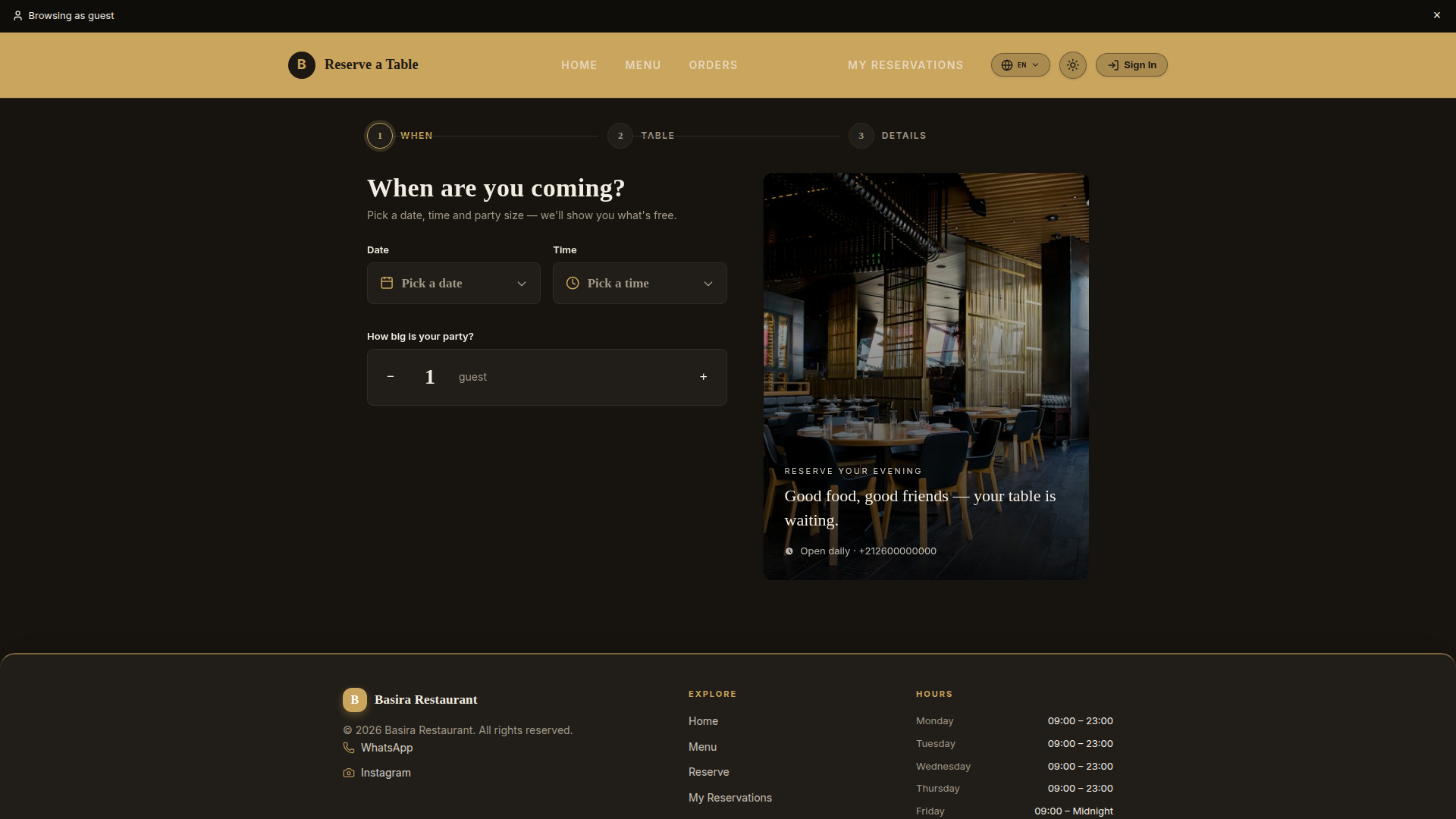
Guests book their dining experience directly on your website. They select party size, date, seating preferences (indoor, terrace, VIP lounge), and leave special occasion notes without third-party aggregator charges.

  • Eliminates monthly software and per-guest booking commissions
  • Instantly assigns available tables on your live floor plan
  • Captures guest phone & email into your direct CRM for marketing
  • Fully customizable booking fields, time slots, and party limits
Direct Table Reservations
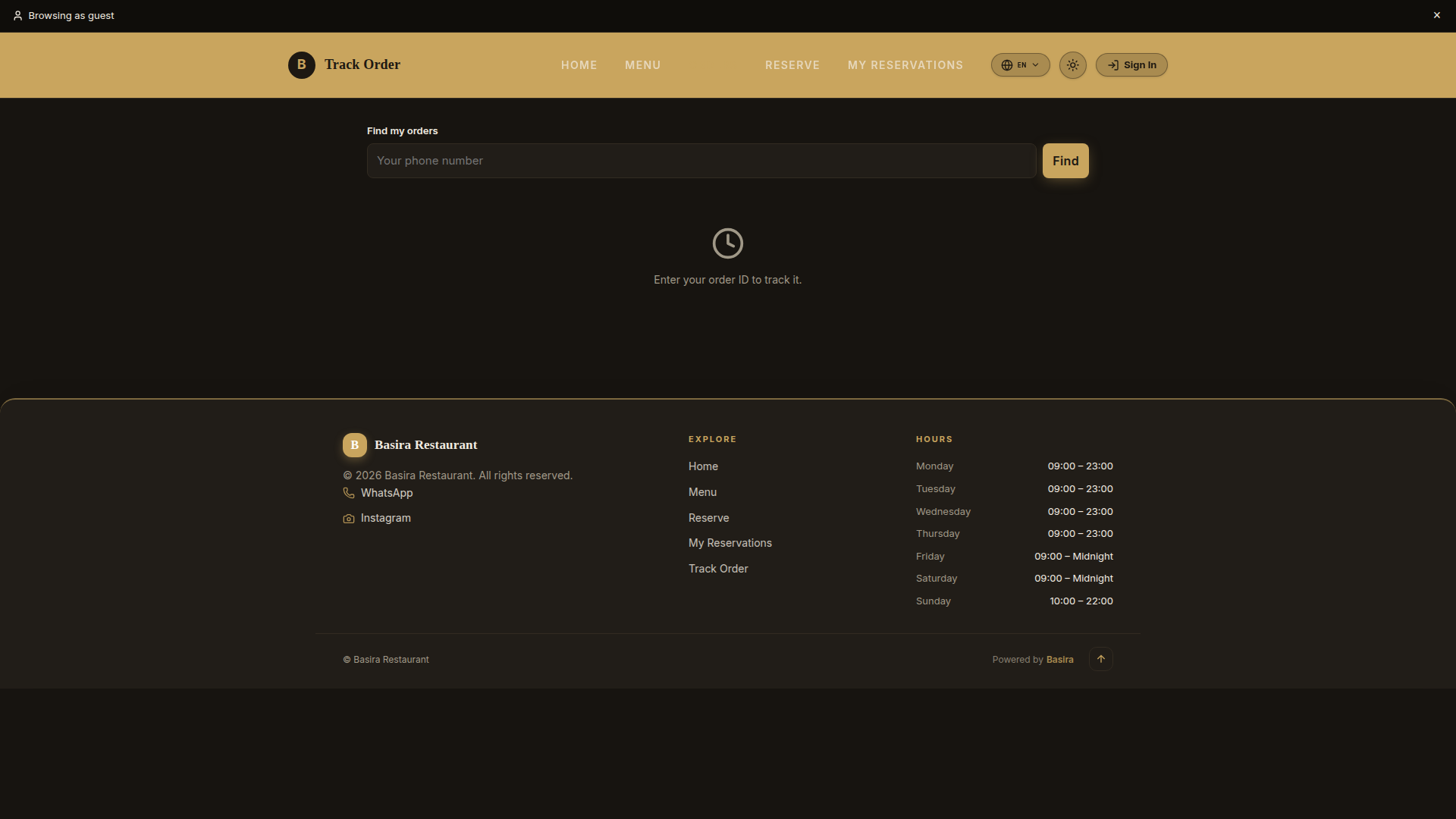
Direct guest reservation portal with date, time & party size booking Try /reserve ↗
Guest Acquisition 02 Keep 100% Margin

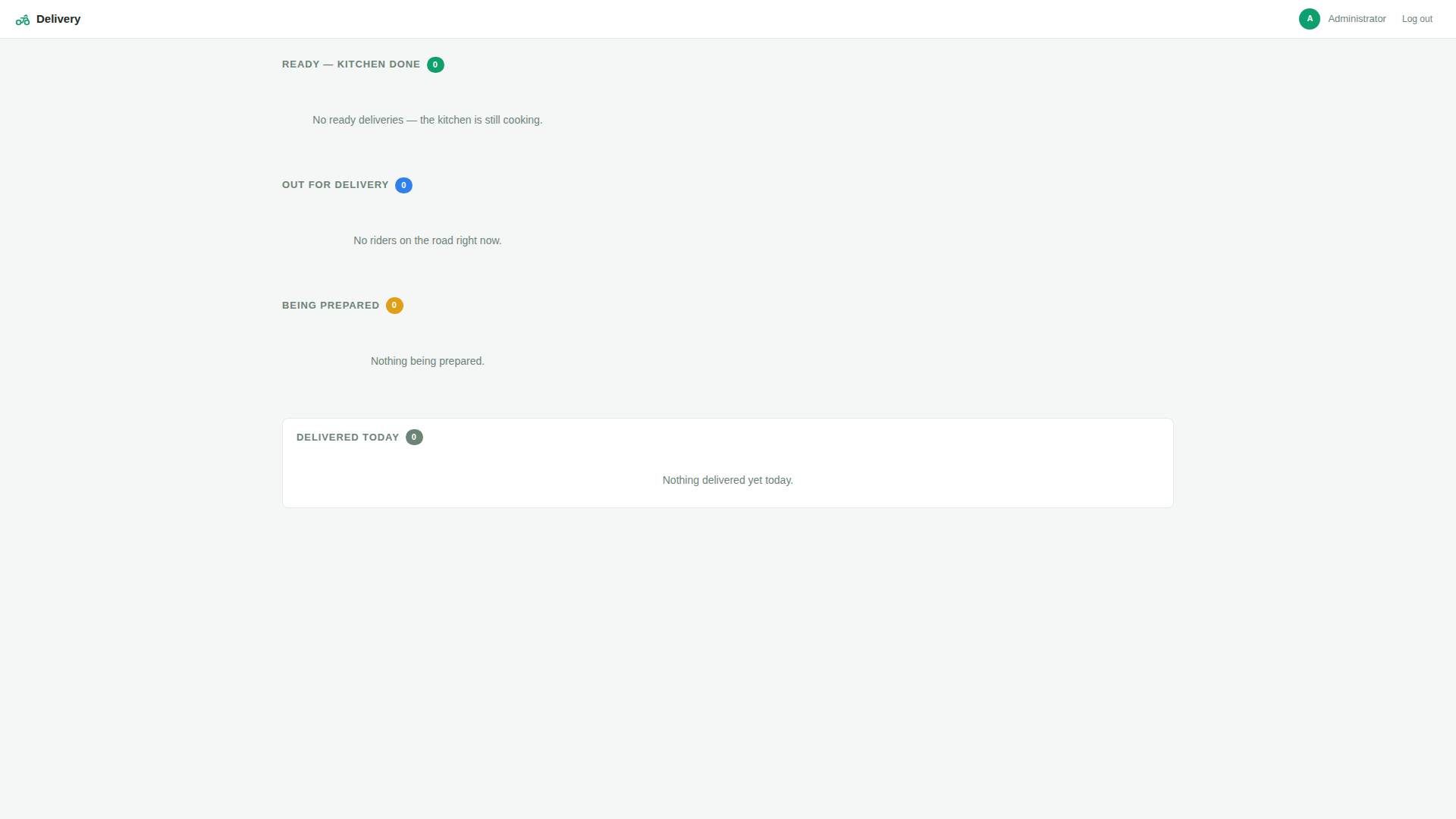
Direct Delivery Storefront & Dispatch Board

Offer your customers a dedicated online ordering storefront with delivery address pinpointing. Orders feed directly into your kitchen display and onto your dedicated Delivery Dispatch Board for driver assignment.

  • Save up to 30% commission per order compared to third-party aggregators
  • Live Delivery Dispatch Board (/delivery-dash/) for kitchen packaging & driver assignment
  • Automated address, phone, and delivery notes routed straight to courier slips
  • Seamlessly integrated into the same ERP accounting and inventory ledger
Direct Online Delivery Portal
Customer online delivery storefront with address entry and direct checkout Try /delivery/ ↗
Logistics Cockpit Fleet Control

Kitchen Packaging & Driver Dispatch Cockpit

Real-time dispatch cockpit monitoring pending delivery orders, kitchen preparation times, courier assignment, and outbound transit tracking.

  • Track incoming online orders from placement to doorstep handover
  • Assign orders to internal drivers or freelance courier partners
  • Automated delivery status SMS updates sent to customers
Delivery Dispatch Cockpit
Live Delivery Dispatch Cockpit tracking order prep, driver pickup & delivery Try /delivery-dash/ ↗

The Frictionless Guest Experience

Guests scan an encrypted QR code at their table and immediately access a beautiful, fast digital menu. No app download required. They order at their own pace, request rounds, and track food preparation live.
Guest Journey 01 Instant Load

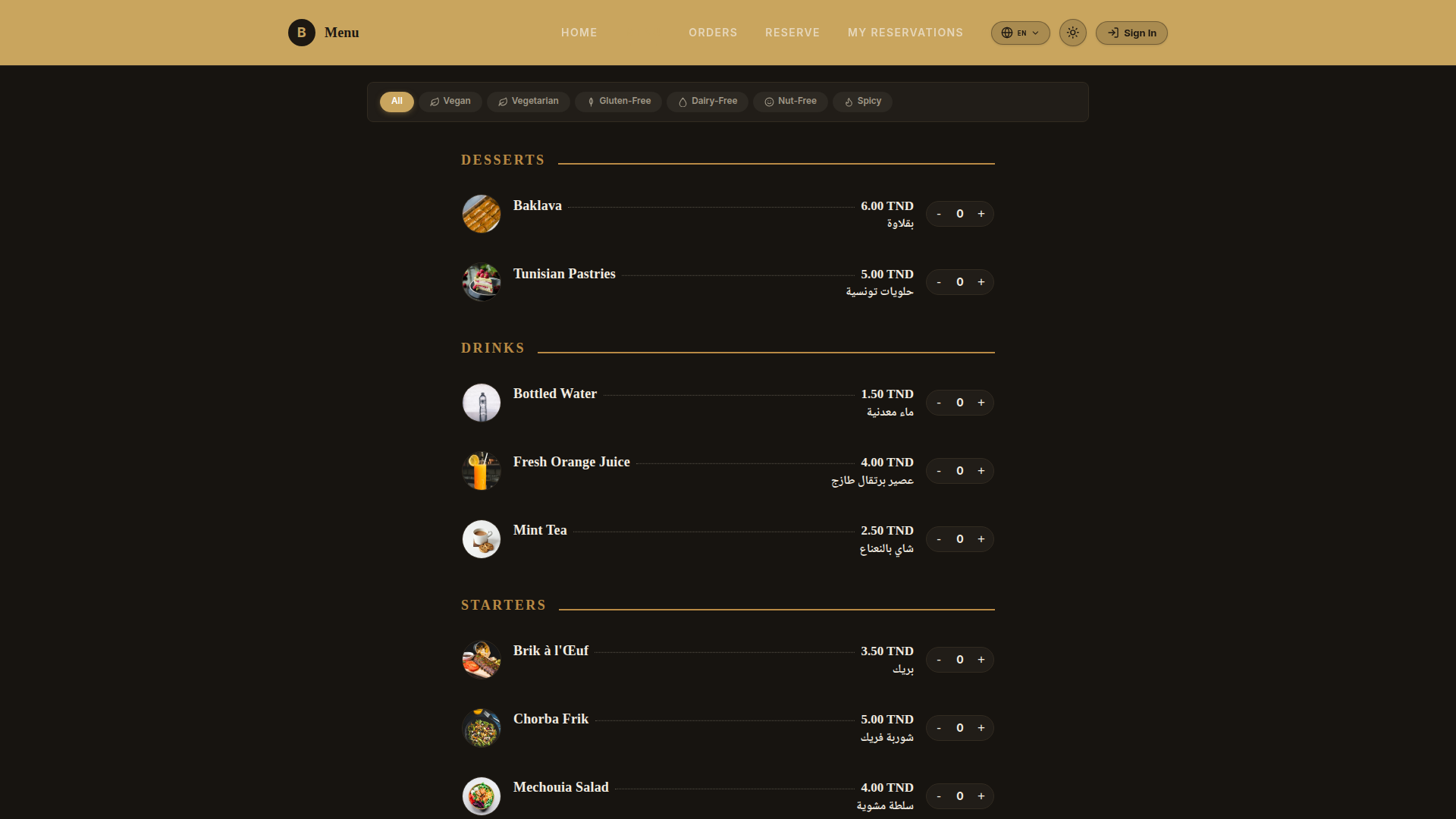
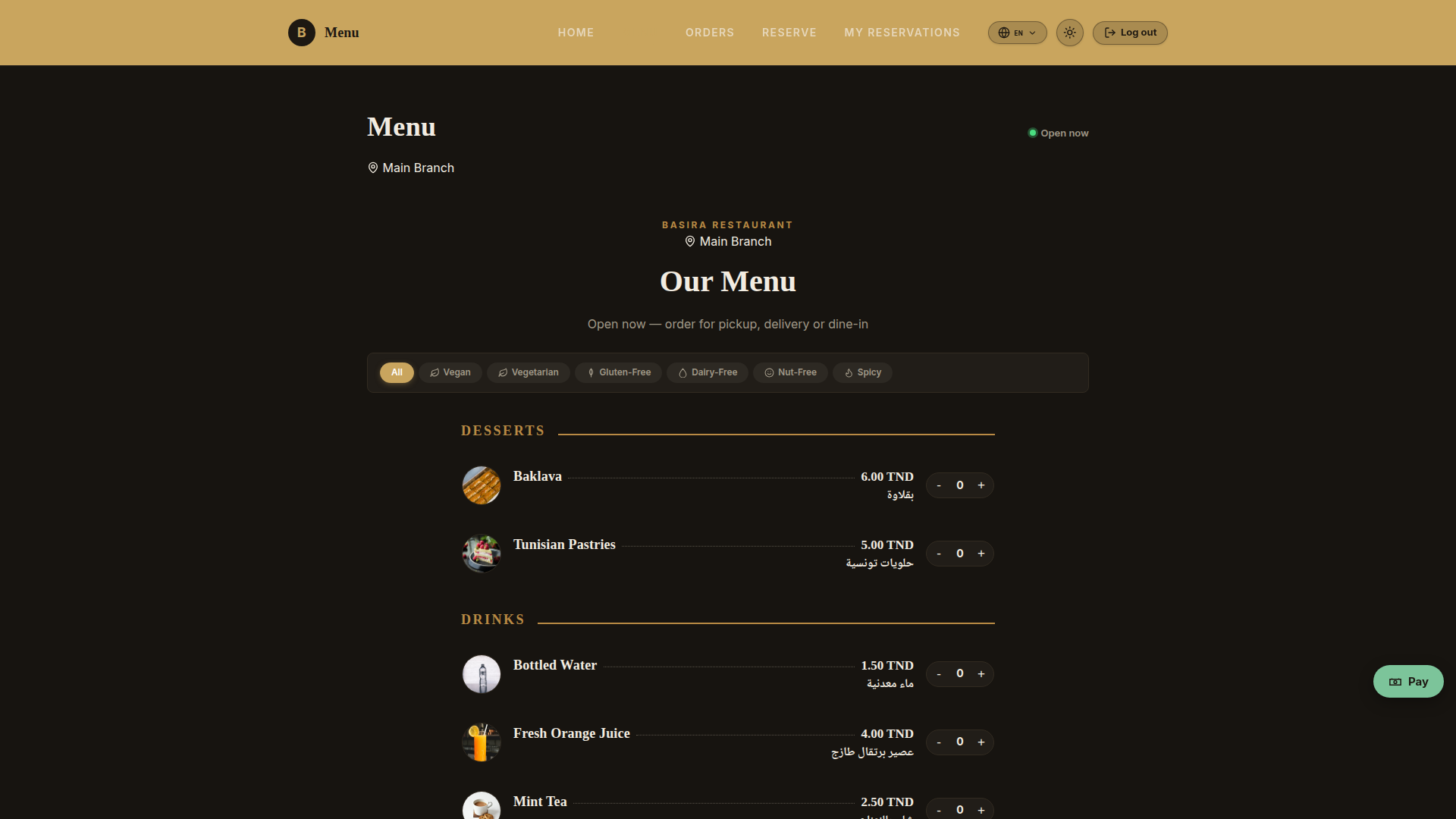
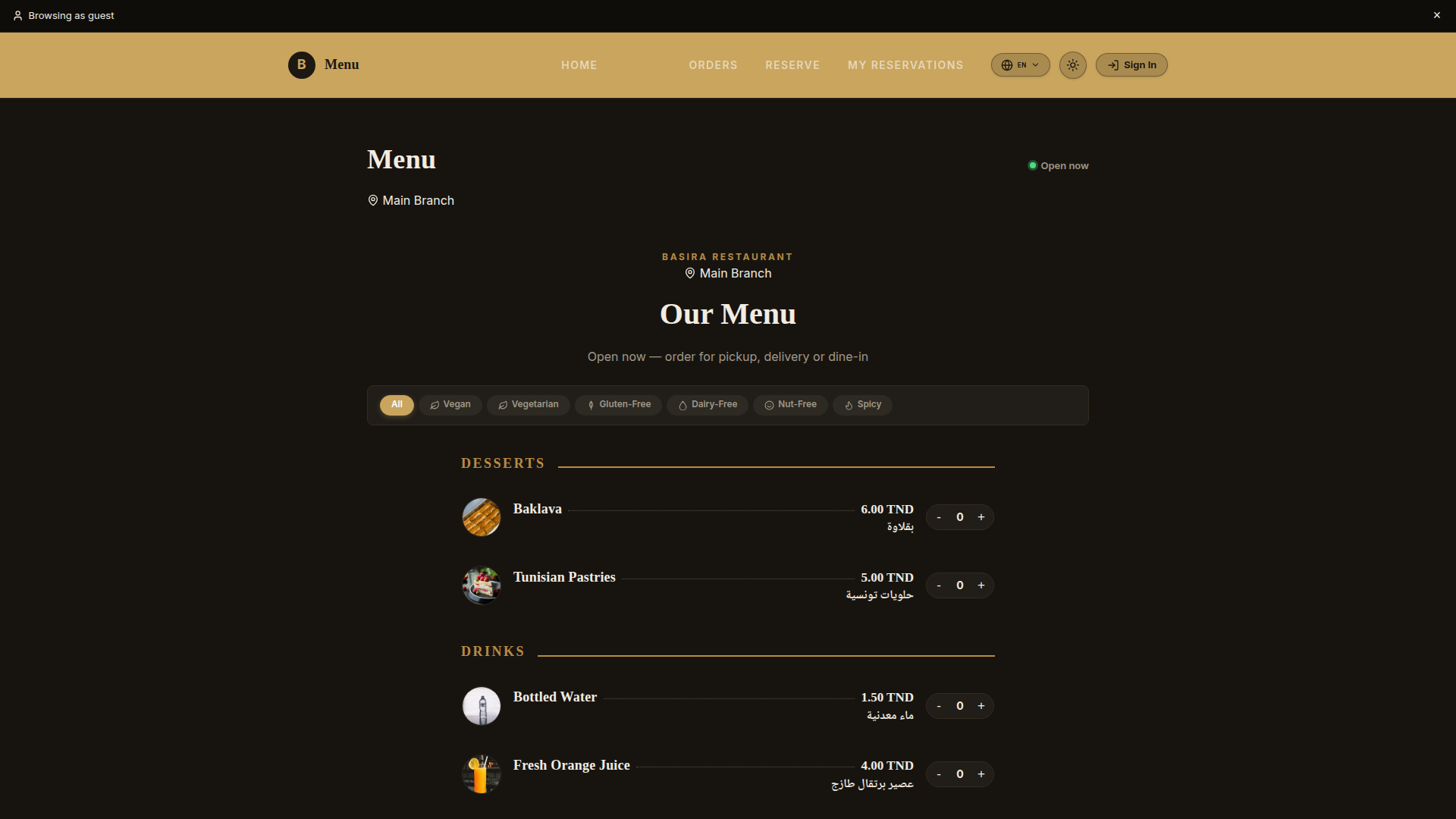
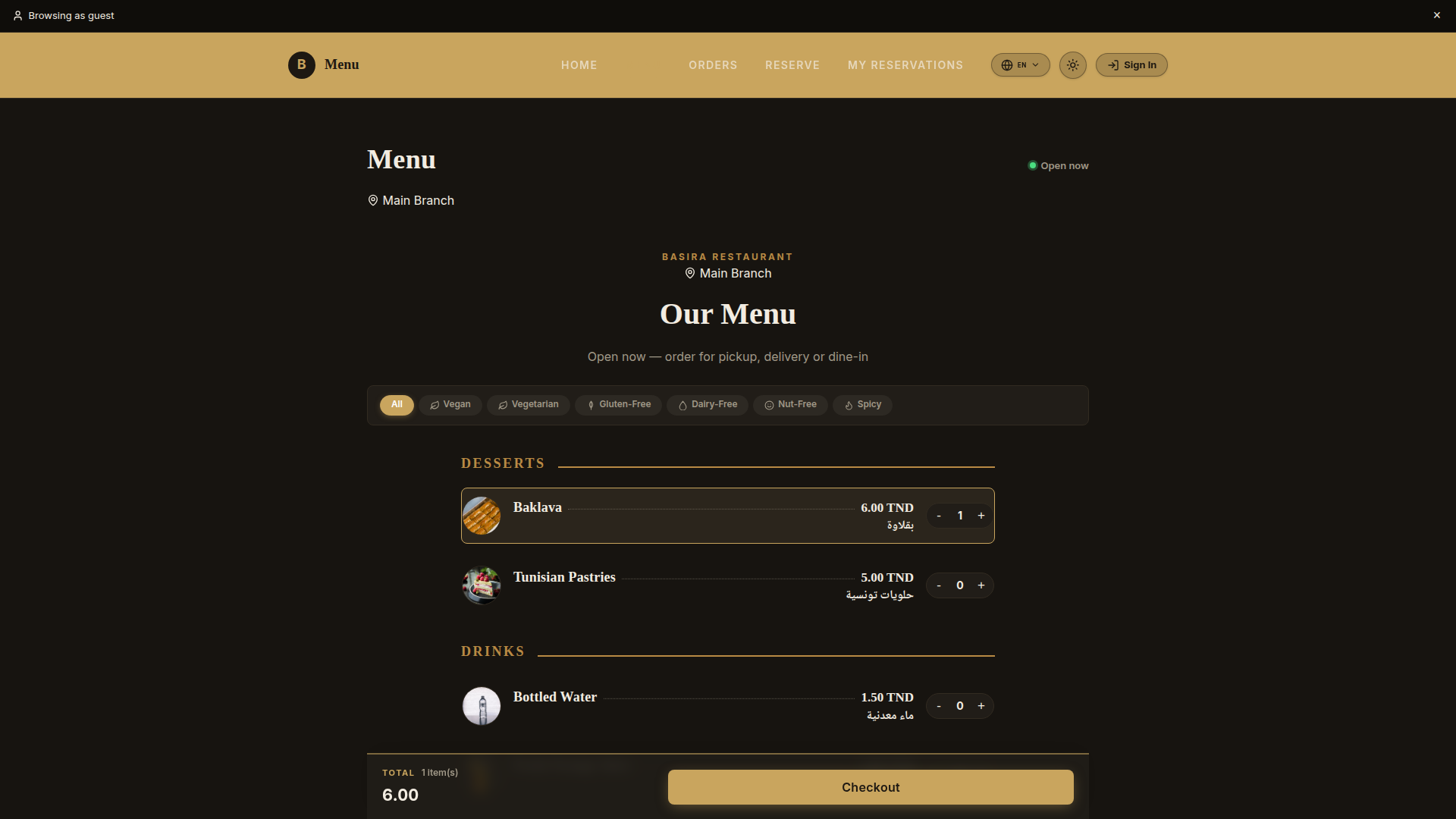
Visual Digital Menu & Category Filtering

Guests browse rich photos, dietary tags, and detailed ingredient descriptions. Filter by Pizzas, Pastas, Steaks, or Desserts with instant sub-millisecond responsiveness.

  • High-resolution dish photography that drives appetite
  • Dual English & authentic Arabic typography side-by-side
  • Real-time item availability (dishes marked out-of-stock disappear instantly)
Digital Menu Showcase
Interactive Guest Digital Menu with categories and hero dishes Try /menu ↗
Guest Journey 02 Higher Revenue

Dish Customization & Upsell Modifiers

When a guest selects a dish, an intuitive customization sheet opens. Guests customize cooking temperatures (Rare, Medium, Well-Done), choose stuffed cheese crusts, and add toppings with clear, automated price adjustments.

  • Custom cooking notes sent straight to the chef's screen
  • Calculates dynamic pricing as guests select premium add-ons
  • Full Arabic translations for every ingredient modifier
Dish Detail & Modifiers
Interactive customization sheet with cooking styles & add-ons Automated Pricing
Guest Journey 03 Zero Mistakes

Sliding Cart Drawer & Multi-Round Orders

Guests review their selected items in an elegant slide-out cart. Because dining is social, guests can order Round 1 (Appetizers & Drinks), then easily add Round 2 (Main Courses) without waiter confusion—all tracked on a single table bill.

  • Accumulates multiple dining rounds on one unified table ticket
  • Displays transparent subtotal, tax breakdown, and service fees
  • One-tap confirmation sends orders directly to the kitchen
Guest Cart Drawer
Slide-out shopping drawer with order summary and modifiers 1-Click Send
Guest Journey 04 Guest Peace of Mind

Live Preparation Tracker & Waiter Calling

No more waving arms to get attention. The guest’s phone transforms into a live status monitor showing preparation stages (Received, Cooking in Kitchen, Ready to Serve) with quick buttons to summon assistance.

  • Live progress bar synced directly to the kitchen display
  • Instant "Call Server" button alerts the waiter's smartwatch or tablet
  • One-tap "Request Bill" alerts the cashier to print or bring the terminal
Live Order Tracker
Live dining session tracker with prep status & server call alerts Zero Wait Time
Guest Journey 05 Local Market Fit

Authentic Arabic Typography & Localization

Designed specifically for North African and Middle Eastern hospitality. Arabic dish titles and descriptions are rendered at 100% optical weight using Google’s Noto Naskh Arabic font, paired with clean English titles for tourists.

  • Seamless Right-to-Left (RTL) reading flow
  • Printed on kitchen thermal tickets via ESC/POS hardware middleware
  • Bilingual Item Masters managed easily from the back-office
Bilingual Arabic Dish Typography
Native Arabic and English typography displayed in full visual fidelity Bilingual
Guest Journey 06 Repeat Loyalty

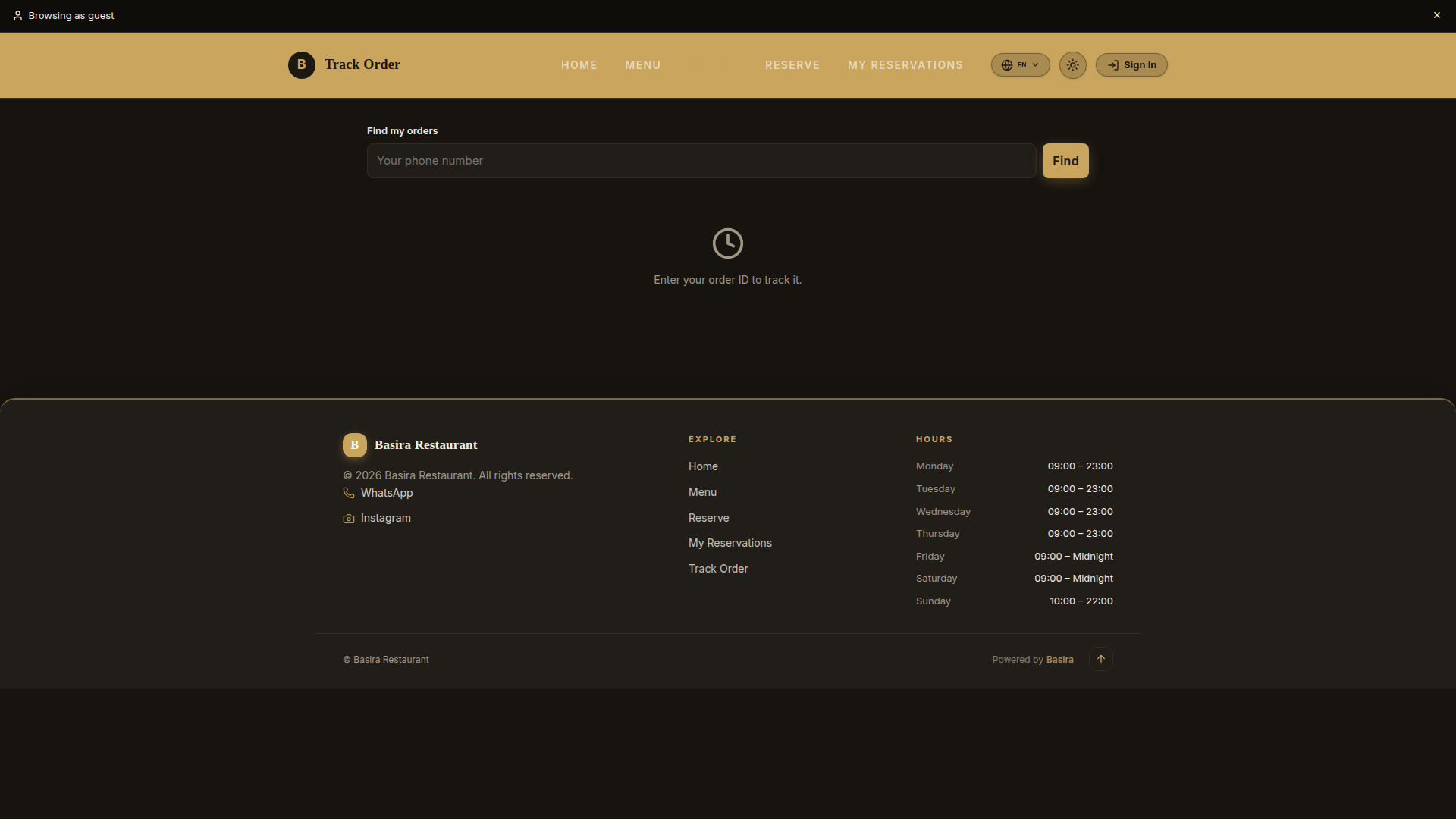
Guest Order History, Digital Invoices & 1-Tap Reorder

Guests can view past orders, review itemized receipts, and 1-tap reorder favorite meals directly from their personal mobile device via SMS or phone verification.

  • Itemized historical check breakdown with date, dishes, and VAT breakdown
  • Downloadable digital PDF invoice directly to guest smartphone
  • 1-tap re-order button instantly populates cart with previous selections
Guest Order History & Digital Invoices
Guest self-service order history portal with receipts and 1-click reorder Try /my-orders ↗

End-to-End Client Flows: Dine-In, Pickup & POS Counter

Whether a guest is seated at a physical table, picking up curbside takeout, ordering home delivery, or paying a cashier at the front counter—every channel operates with seamless logic.
Channel: In-Store POS High-Speed Front Register

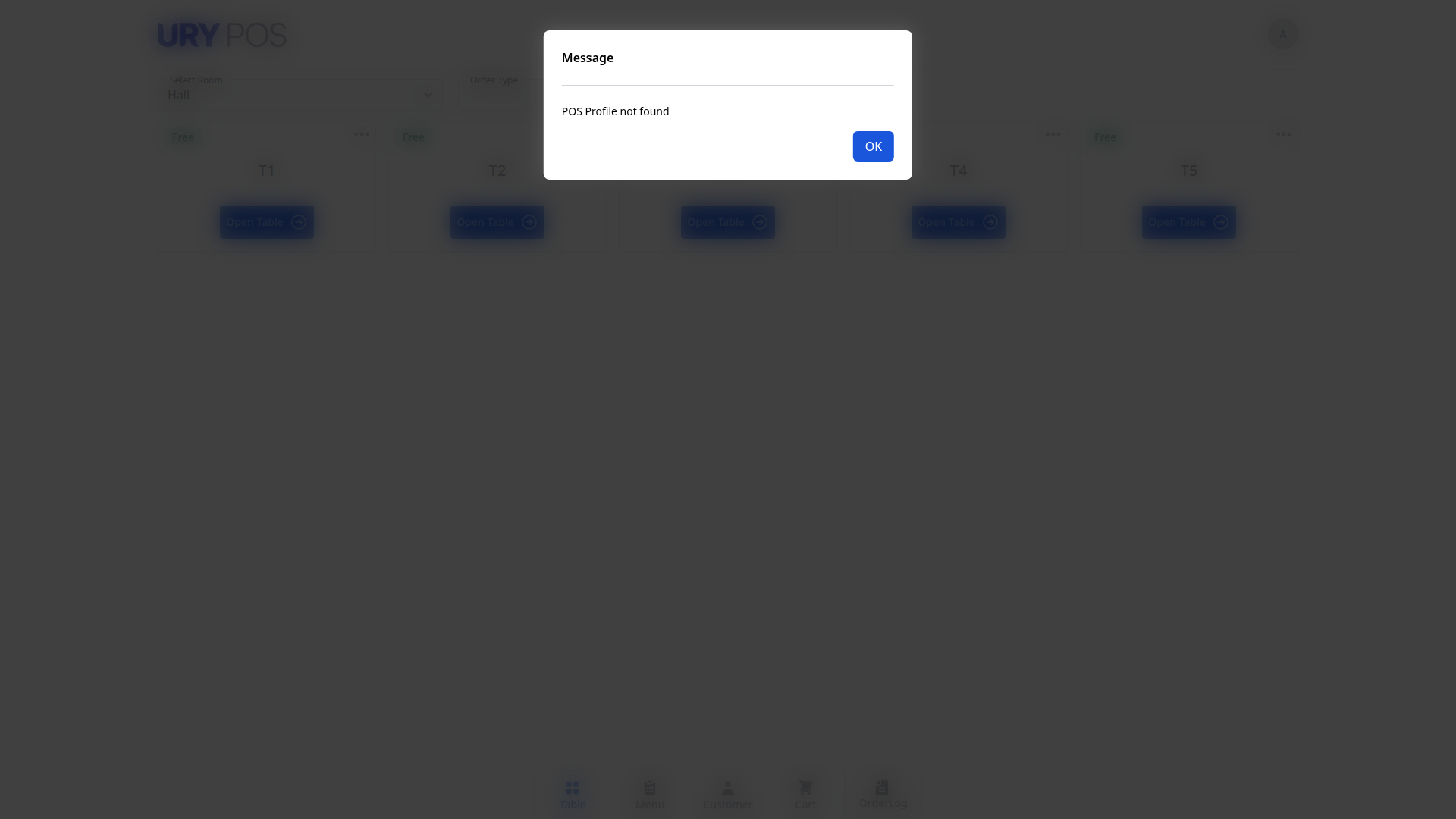
URY Point of Sale (POS) Counter Terminal

For walk-in counter guests, bar sales, and fast cashier transactions. The high-speed touchscreen URY POS terminal lets cashiers fire orders, manage custom table grids, split bills, and tender cash or card payments in seconds.

  • High-velocity touchscreen item grid with category quick-switch
  • Instant sync with the same kitchen KDS and thermal ticket printers
  • Supports multi-tender payments (Split Cash, Credit Card, Room Folio)
  • Live cashier till tracking with daily POS Opening & Closing reconciliation
URY Point of Sale Counter Terminal
Full touchscreen URY POS cashier terminal with table visual map & speed menu Try /urypos ↗
FLOW 01 • DINE-IN
Table QR & Seated Dining
1. Scan: Guest scans encrypted Table QR (e.g. Table T1).
2. Order: Adds items + modifiers across multiple rounds.
3. Kitchen: KDS tickets fire immediately for preparation.
4. Pay: Guest pays via phone or requests waiter till; settles consolidated table bill.
FLOW 02 • TAKEAWAY / PICKUP
Online Pre-Order & Curbside
1. Select: Guest chooses "Takeaway / Pickup" channel.
2. Pay & Hold: Pre-pays online or selects pay-at-counter.
3. Timing: Kitchen prepares food precisely for scheduled pickup time.
4. Curbside: Guest taps "I've Arrived" on tracking link with car plate.
FLOW 03 • DIRECT DELIVERY
Storefront & Driver Dispatch
1. Order: Guest enters street address & delivery instructions.
2. Dispatch: Appears on live /delivery-dash/ board.
3. Pack: Kitchen packages food with thermal bag label.
4. Courier: In-house or 3rd-party driver assigned with 0% aggregator fees.
Guest Flexibility One Menu, Any Channel

Unified Checkout for Dine-In, Pickup & Takeaway

The guest portal intelligently adapts based on how the customer arrived. When scanned at a table, it locks to Dine-In with automated table assignment. When accessed online, it presents clear Takeaway Pickup, Curbside, and Home Delivery options.

  • Guest phone and car plate auto-remembered for instant repeat ordering
  • Configurable payment gateways per channel (Online Tap/Stripe, Cash, or Card on Arrival)
  • SMS and WhatsApp notifications keep takeout customers updated on order readiness
Dine In Table Ordering Mode
Table-gated menu showing table number banner and service request tools Try Table T1 ↗
Pickup & Takeaway Fast Curbside

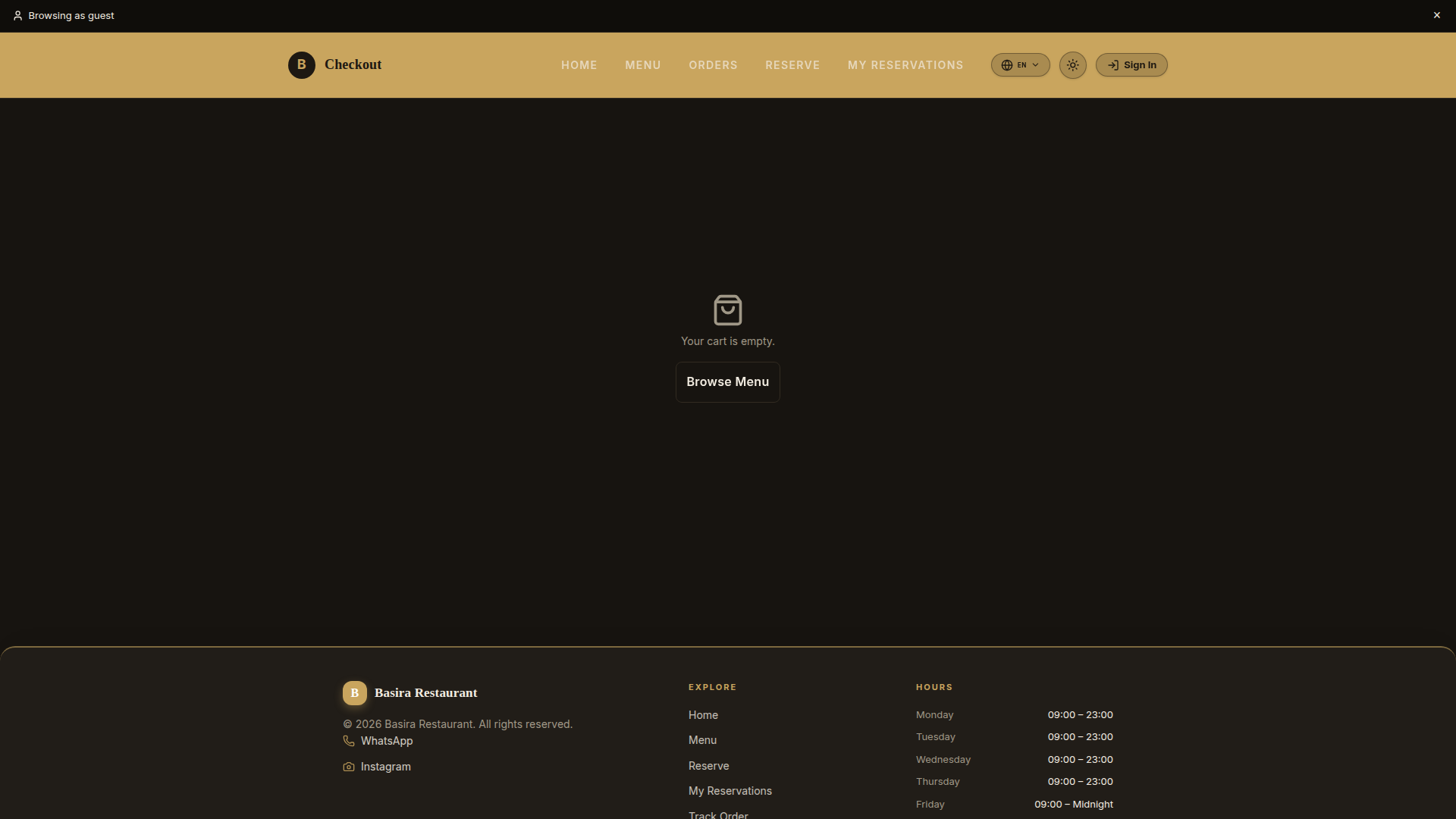
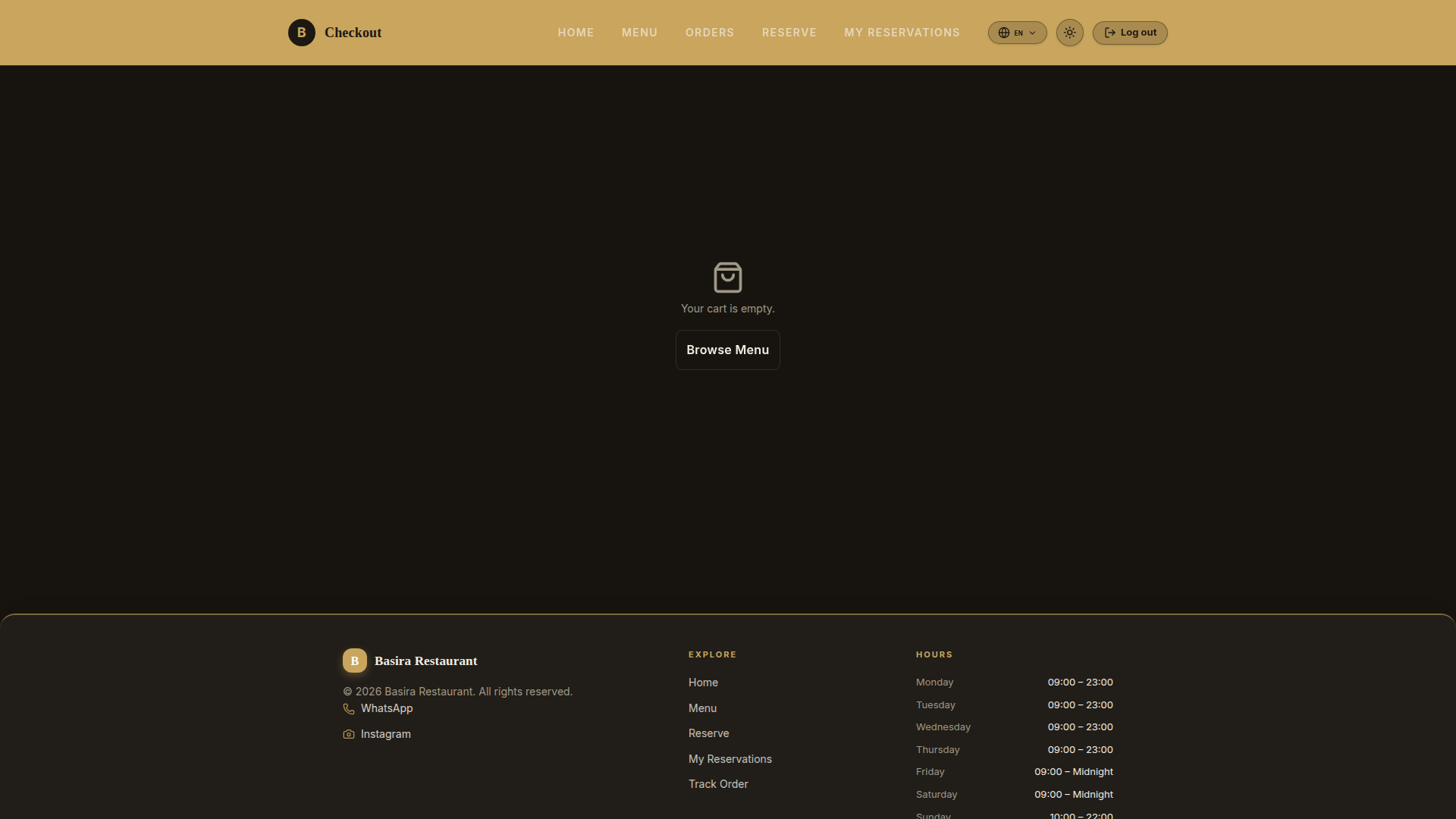
Channel Selection, Pay at Table & Curbside Pickup

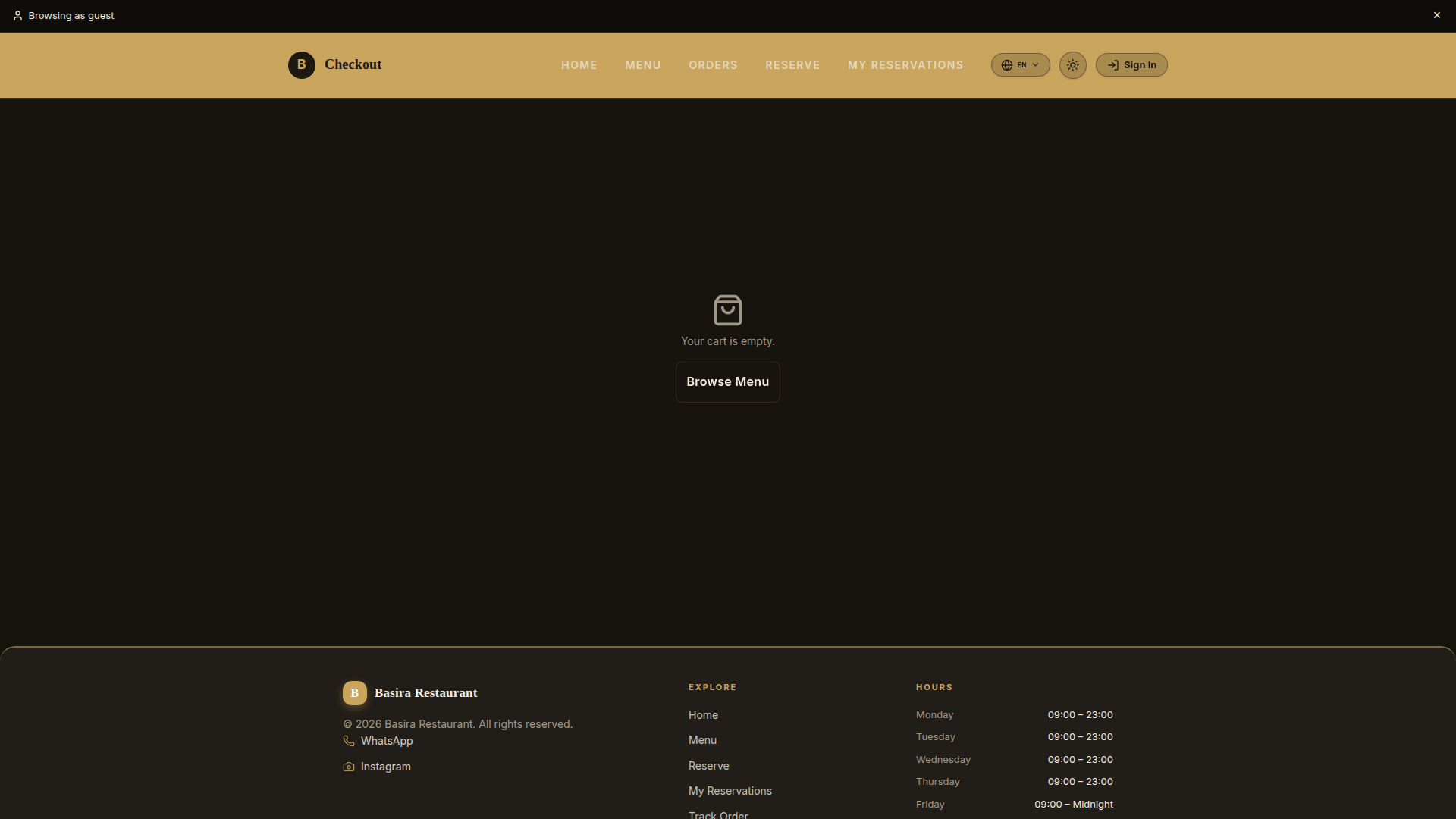
During checkout, customers can select between Dine-In (with Pay at Table / Waiter call) or Takeaway Pickup. For takeout, customers specify pickup times and optional vehicle information for effortless curbside delivery.

  • Channel selection modal allows switching between Dine-In and Takeout
  • Pay at Table support with split-check and cash/card waiter dispatch
  • Curbside pickup status tracking with real-time arrival notifications
Checkout Channels and Payment Selection
Checkout channel options: Dine-In vs. Takeaway Pickup & Pay at Table Try /checkout ↗

Staff Consoles & Kitchen Coordination

Replace noisy shouting, lost paper tickets, and confusion with synchronized digital tools for your waiters, line cooks, and shift managers.
Floor Operations Fast Service

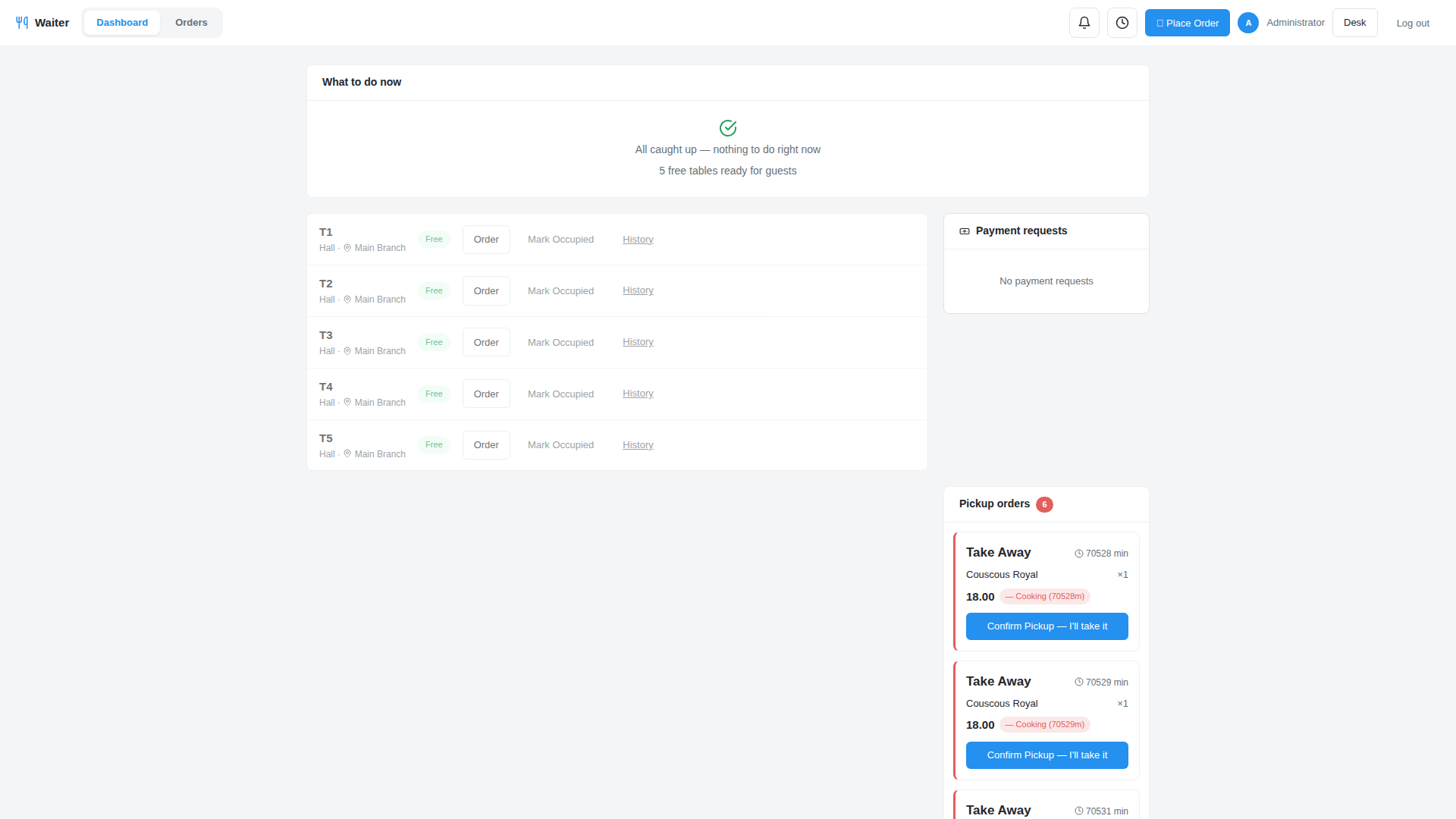
Floor Waiter Console & Digital Table Map

Waiters view live floor tables (T1, T2, T3) color-coded by dining status. They take orders tableside on handheld tablets, view incoming guest requests, and clear occupied tables in seconds.

  • Visual floor layout with instant occupancy indicators
  • Highlights tables flashing "Call Server" or "Request Bill" alerts
  • Tableside ordering that transmits straight to the kitchen
Waiter Console
Waiter floor map showing table occupancy and service alerts Try /waiter ↗
Kitchen Line Zero Ticket Loss

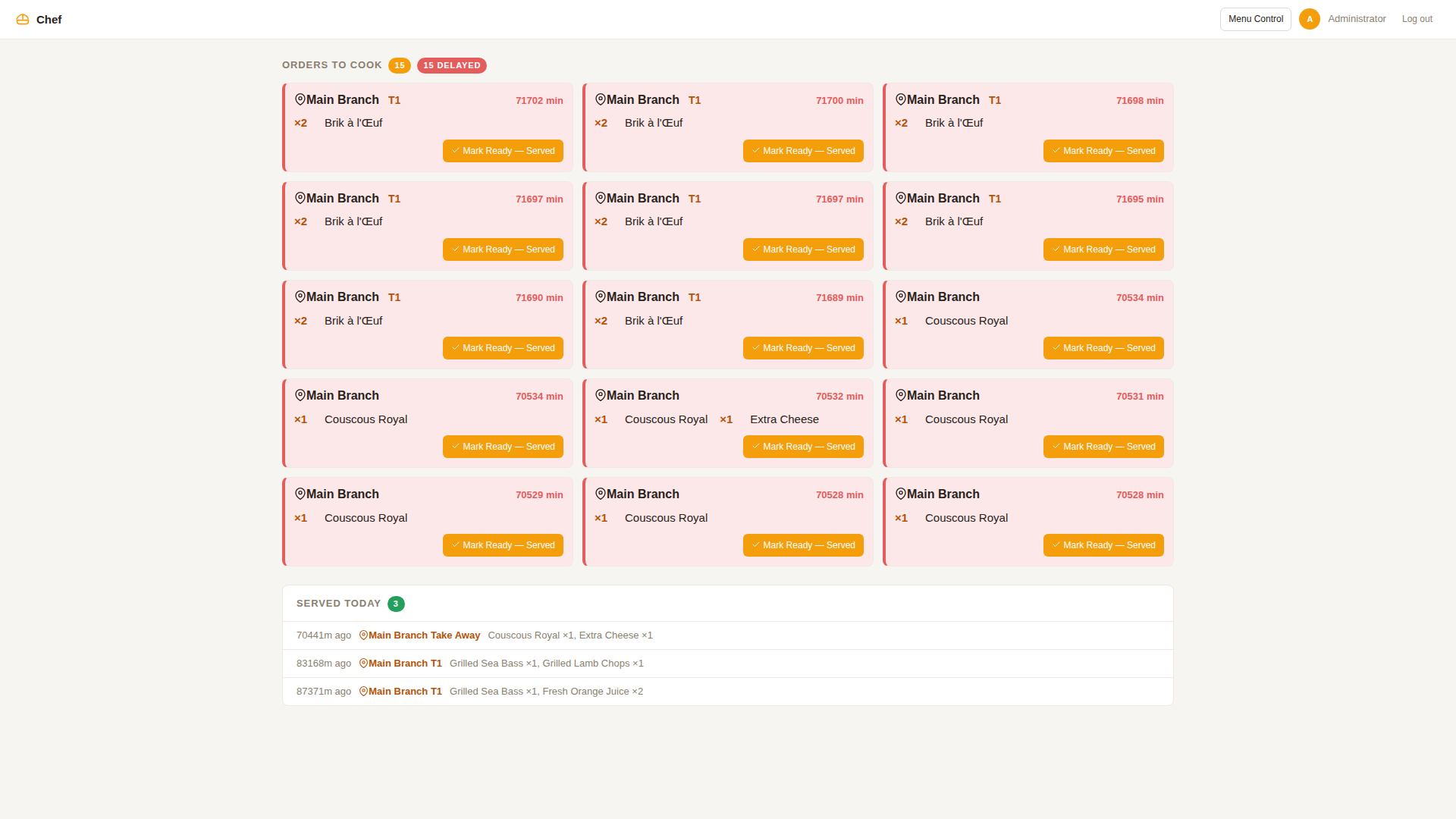
Kitchen Display System (Chef KDS)

Line chefs receive order tickets organized into production lanes (Hot Kitchen, Cold Pantry, Grill, Bar). Color-coded cook timers track preparation velocity, turning amber and red if dishes approach target prep thresholds.

  • Digital bump bar to mark courses as cooking or plated
  • Splits drinks to the bar and pizzas to the oven automatically
  • Special dietary notes (e.g., "NO NUTS", "EXTRA SAUCE") prominently highlighted
Chef KDS Kitchen Display
Chef Kitchen Display with prep timers and cooking course lanes Try /chef ↗
Kitchen Control Instant Sync

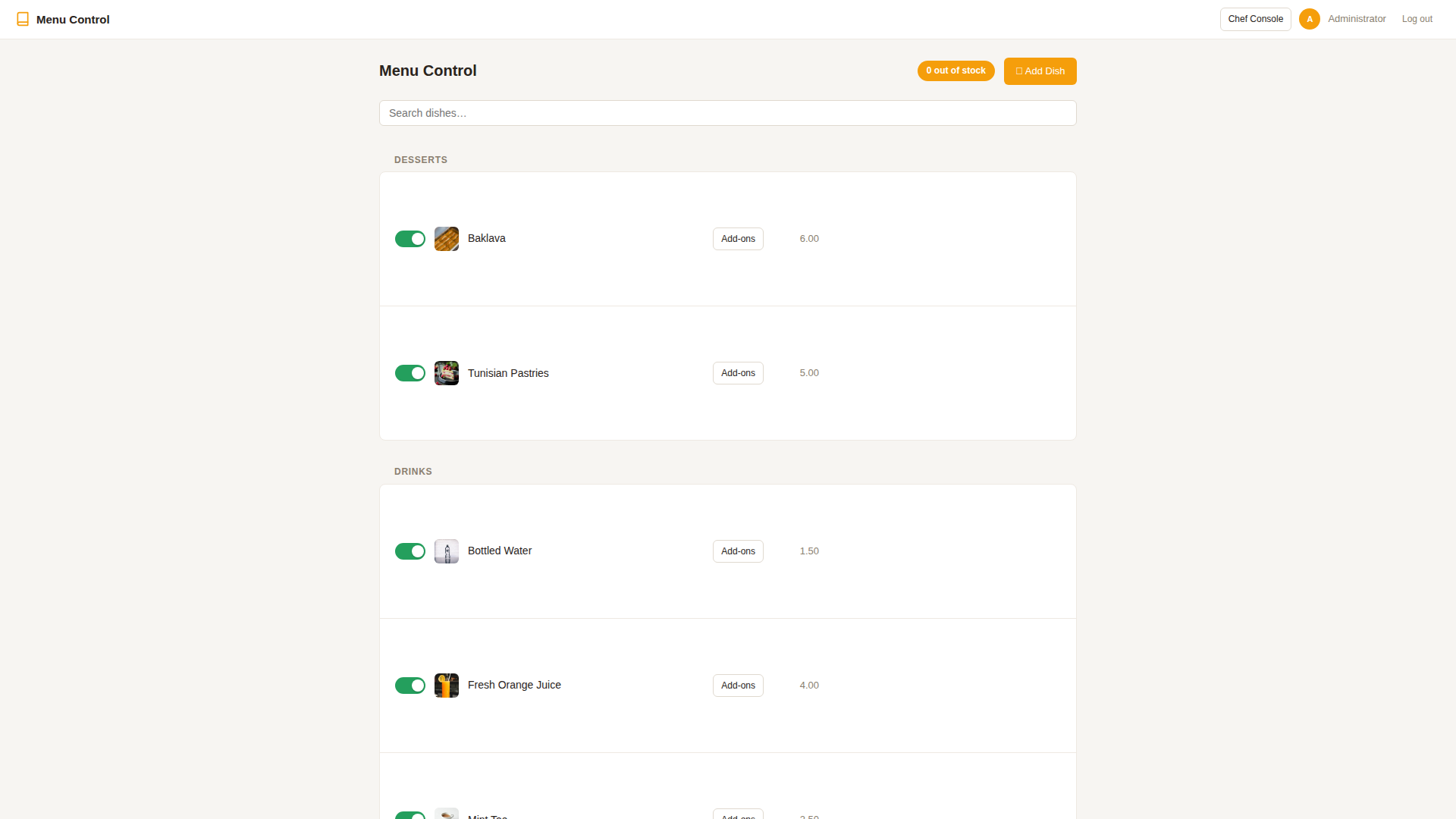
Live Menu Control & "Item 86" Out-of-Stock

Run out of fresh salmon during the dinner rush? Kitchen leads toggle the out-of-stock switch with a single tap. The dish is immediately disabled across all guest mobile menus and waiter tablets, preventing awkward customer apologies.

  • 1-tap toggle to take dishes off the live menu
  • Syncs instantaneously across all guest phones and waiter devices
  • Prevents kitchen delays and order cancellations
Chef Menu Management
Chef menu management console with instant out-of-stock switches 1-Tap Control
Floor Supervision Real-Time Control

Shift Manager Cockpit & Performance Dashboard

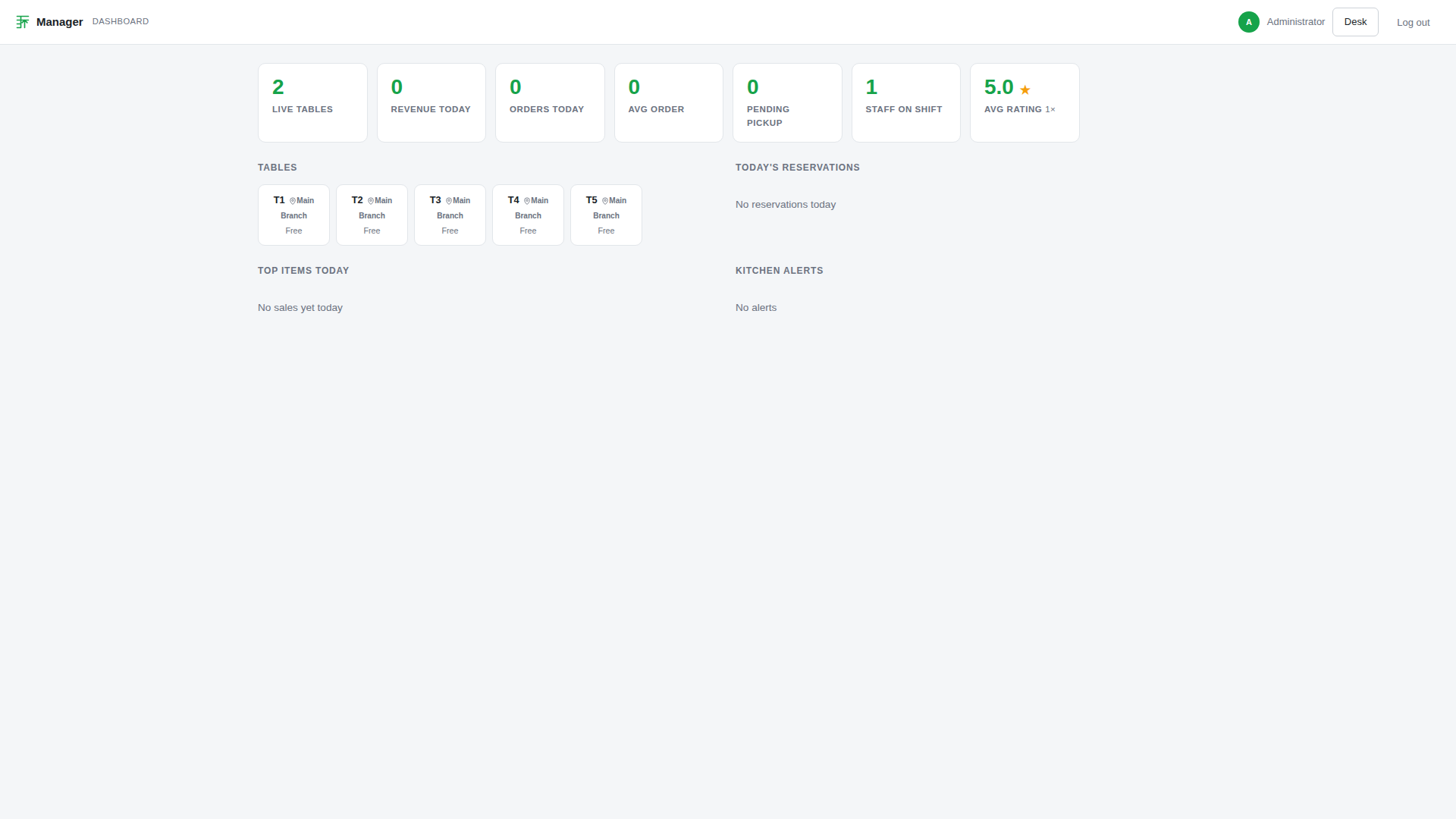
General managers monitor the pulse of the dining room from their phone or back-office screen. View active revenue, table turnover speed, average prep times, and bottlenecks in real time.

  • Live shift revenue counter updated with every settled bill
  • Average dining duration and table velocity analytics
  • Flags slow orders to maintain five-star guest satisfaction
Manager Dashboard
Shift manager dashboard monitoring dining speed, sales & active tables Try /manager ↗
Audit & Dispatch Zero Dropped Checks

Live Waiter Orders Stream & Dining Room Audit

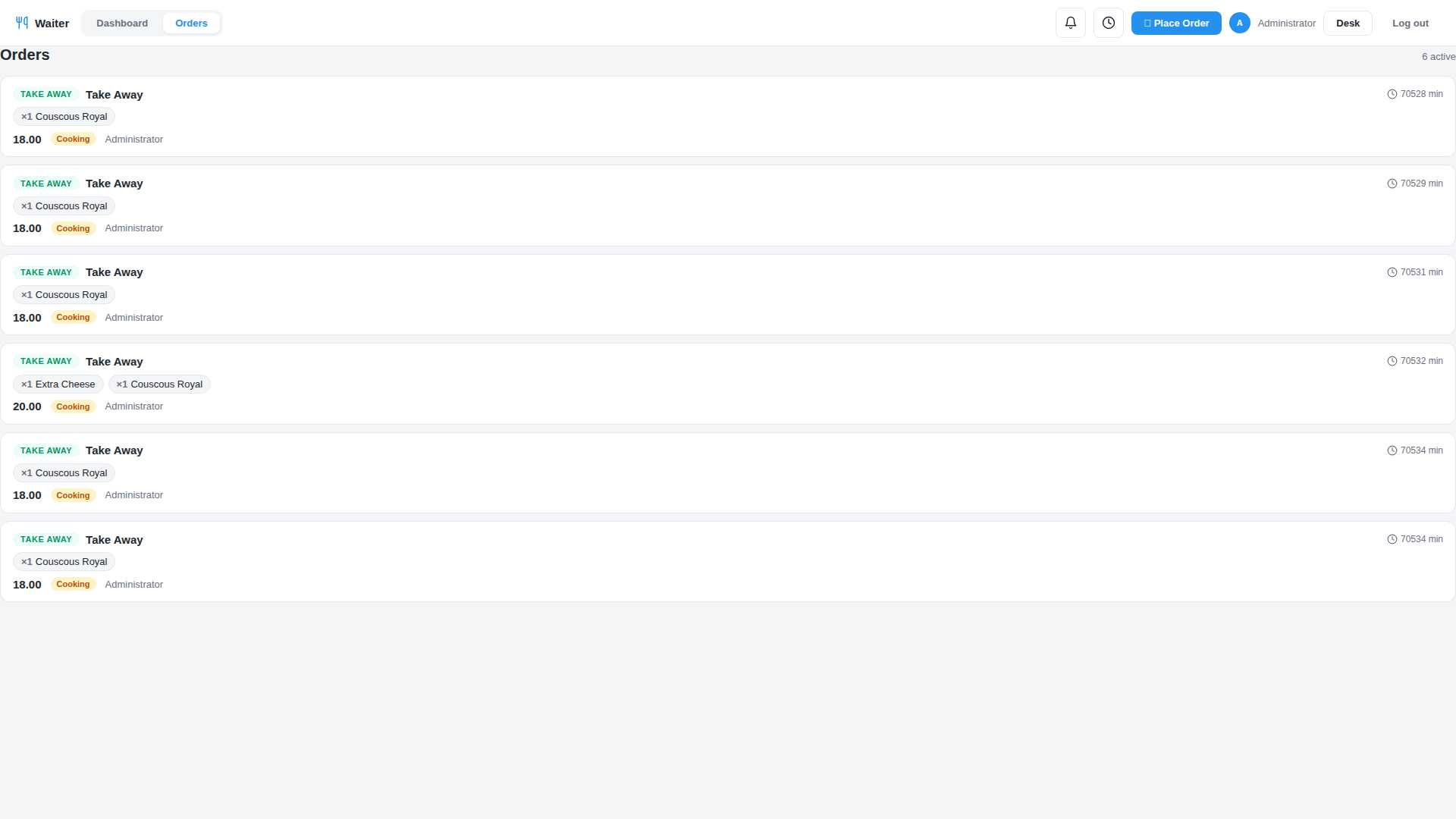
Floor staff and head waiters have a unified live stream of all active orders across tables, takeaway pickups, and pending service requests.

  • Real-time feed of newly placed rounds, item additions, and guest bill requests
  • Filter by dining area (Terrace, Indoor, Bar, VIP Salons)
  • Full historical timeline showing timestamp, server name, and fulfillment duration
Live Waiter Orders Stream
Synchronized waiter stream showing live order notifications & active tickets Try /waiter ↗

Mission-Critical Thermal Hardware & Native Arabic Printing

Web apps often fail when connected to real restaurant hardware. BackHouse includes dedicated physical middleware communicating directly with Epson ESC/POS LAN network printers with native Arabic text shaping, visual receipt layout builders, and multi-station routing.
Hardware 01 Local LAN Speed

Autonomous ESC/POS Thermal Printing & Smart Routing

Zero dependency on flaky browser print dialogs or cloud queues. Orders trigger automated raw socket printing over your local area network (LAN) instantly upon confirmation.

  • Automatic chit splitting: Drinks route to the Bar printer, Pizzas to the Oven printer, Steaks to the Main Kitchen
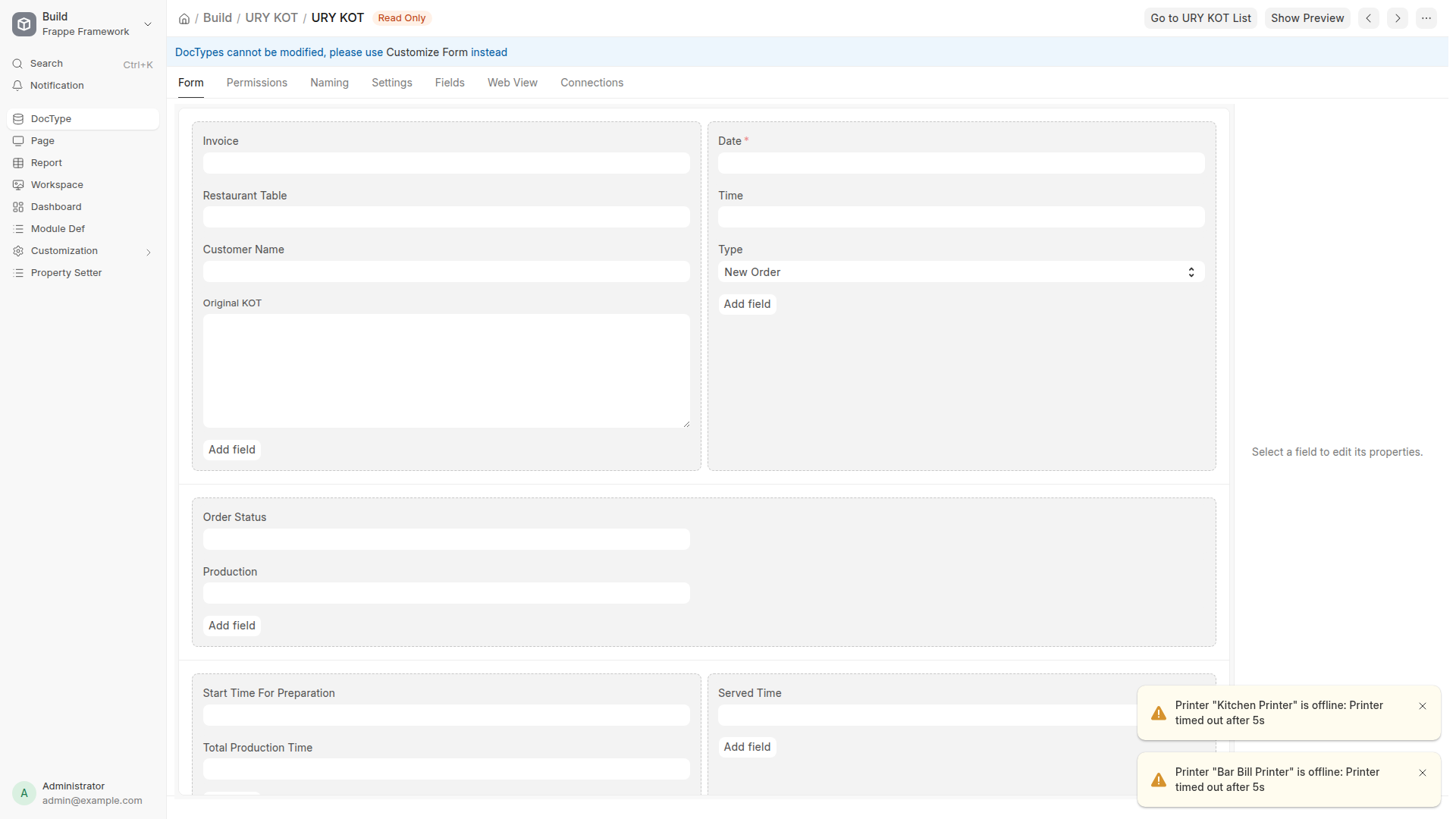
  • Dual guest receipts and kitchen preparation tickets (KOTs)
  • Fully customizable receipt templates: Add your logo, tax registration number, WiFi password, and promotional footers
  • Works with standard industry hardware: Epson TM-T88, Star Micronics, and compatible network printers
Thermal KOT Hardware Ticket
Kitchen Order Ticket (KOT) data stream routing items to kitchen stations LAN Socket Printing
Hardware 02 GCC & Middle East Ready

Native Arabic Typography with HarfBuzz/FriBidi Shaping

Most foreign POS systems print corrupted or disconnected Arabic characters on thermal chits. BackHouse incorporates native font rasterization (libraqm engine) to print pristine, perfectly shaped Right-to-Left Arabic text directly on 80mm paper rolls.

  • Dual Arabic and English dish names rendered side-by-side on all receipts and kitchen slips
  • No broken letters or reversed word order—clean, professional typography
  • Cooks and kitchen helpers read dish instructions in their native language with zero ambiguity
Bilingual Arabic Font Rendering
Native bilingual Arabic and English typography on screens and thermal chits HarfBuzz Engine
Hardware 03 Device Registry

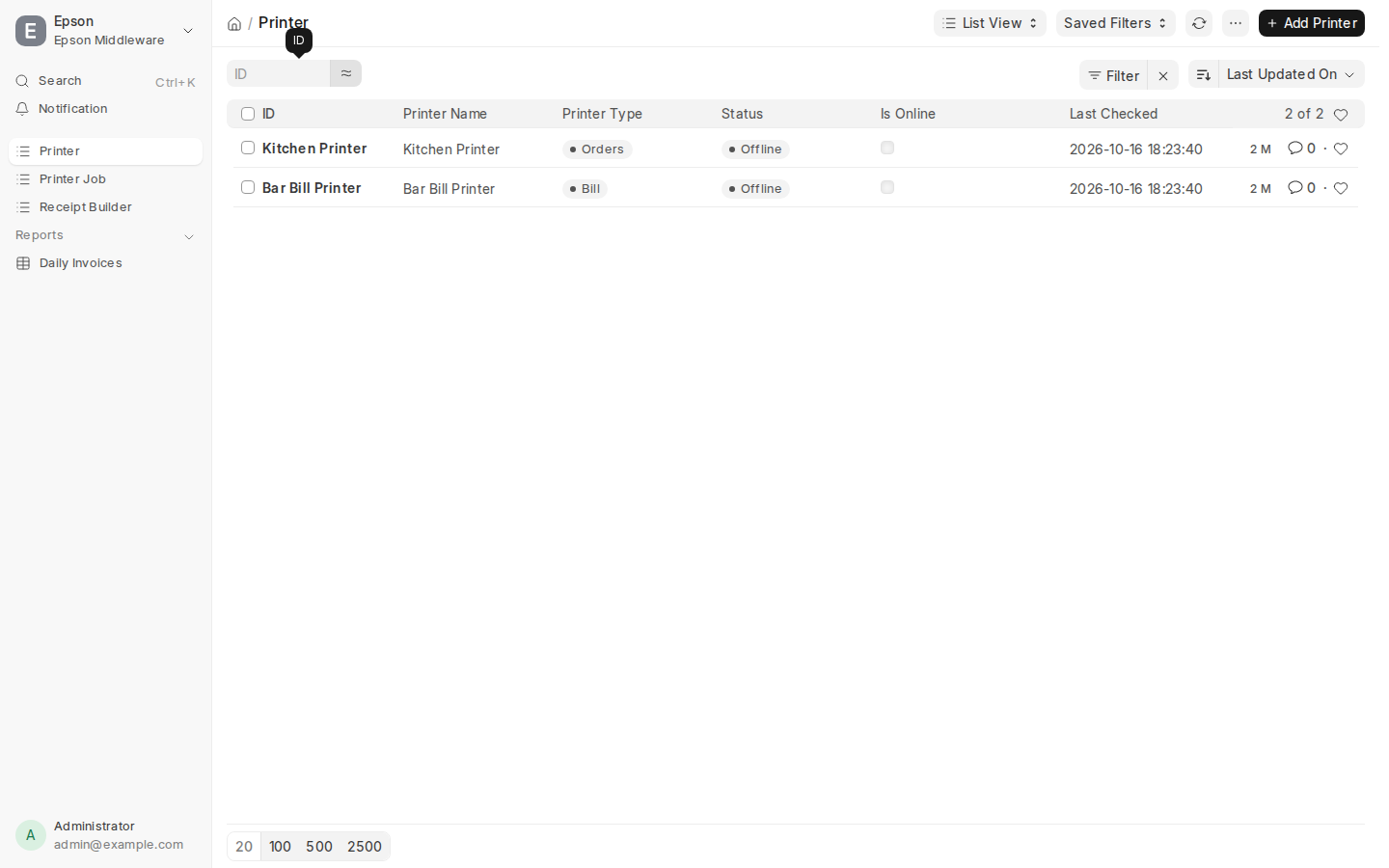
Network Printer Fleet & Hardware Heartbeat Monitor

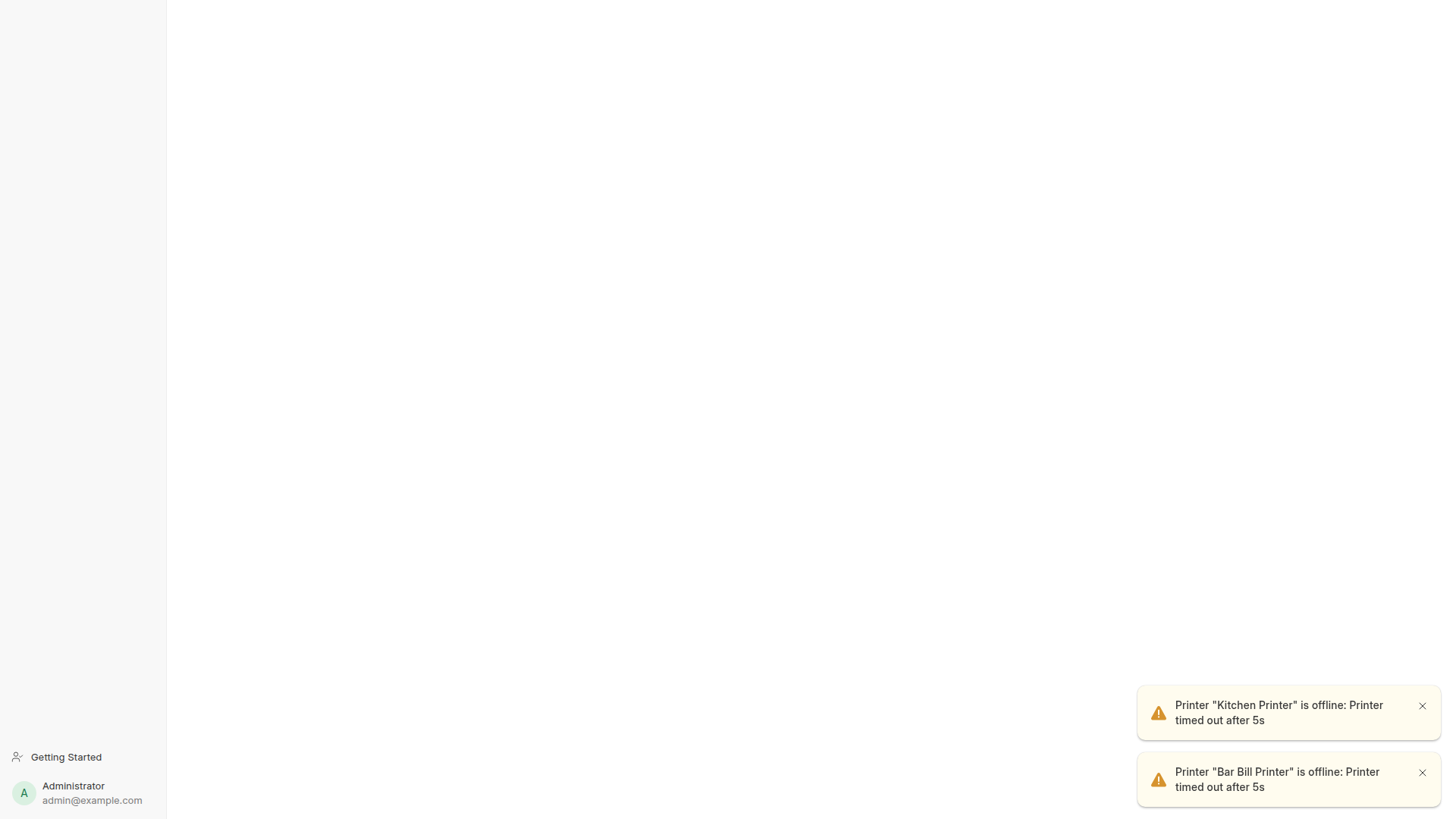
Manage your entire restaurant hardware fleet in ERPNext Desk. Configure printer IP addresses, ports (9100 RAW / ePOS HTTPS), bound operational stations, and cash drawer kick pins with real-time connectivity health monitoring.

  • Configured for Kitchen Printer (192.168.1.200:9100) and Bar Bill Printer (192.168.1.201:9100)
  • Electronic cash drawer kick integration on DK-2 connector pin (auto-opens till on cash settlement)
  • Real-time heartbeat logging (Is Online, Last Seen, Last Status) to prevent silent print drops
  • Station binding: Link specific physical printers to specific cashier users and floor zones
Network Printer Registry & Online Status
Physical network printer fleet registry with IP binding, stations and live status Desk Printers
Hardware 04 Routing Engine

Intelligent Kitchen Station Routing & POS Print Rules

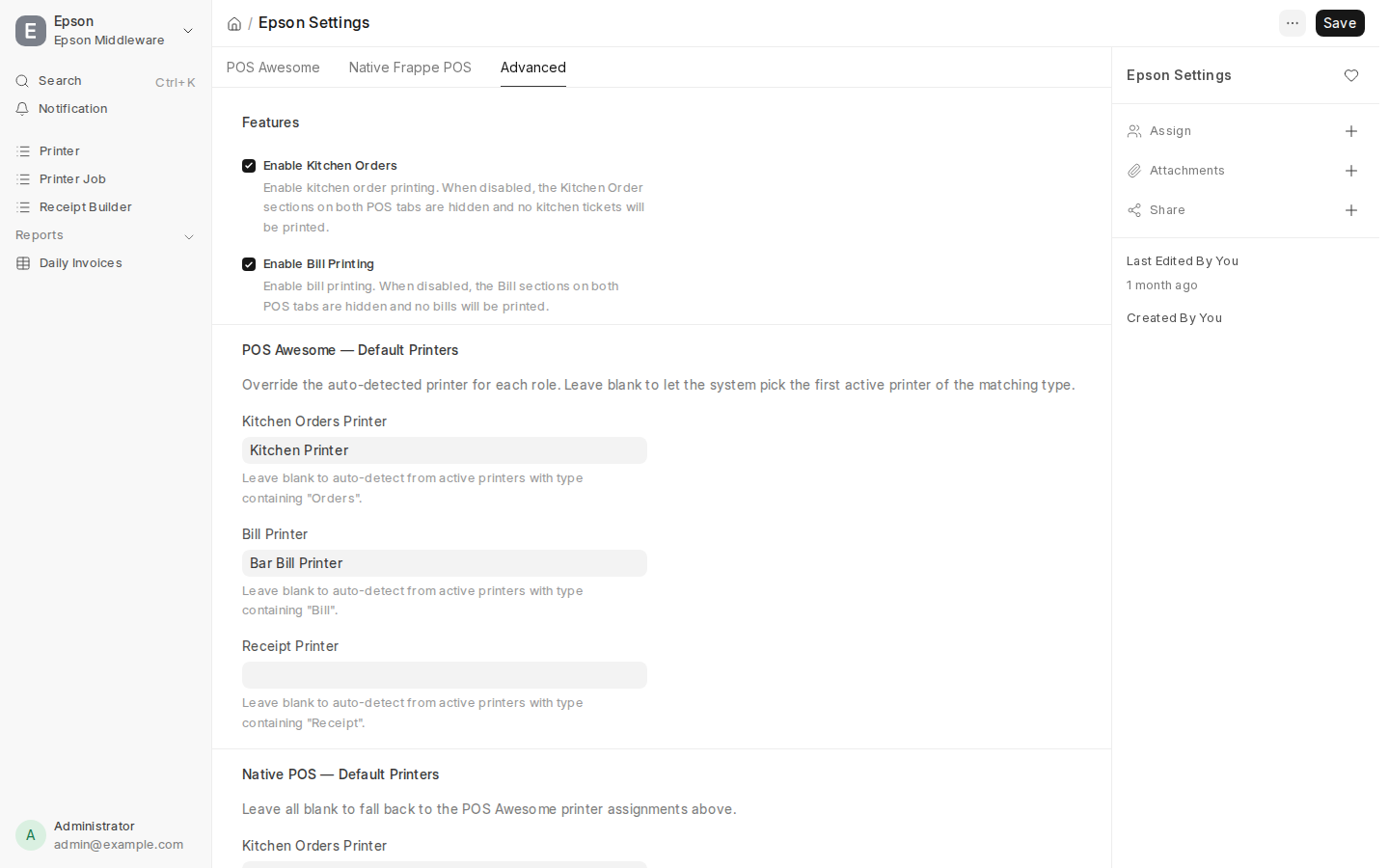
Eliminate order confusion during peak dinner rushes. Configure granular printing rules across POS Awesome and Native Frappe POS, routing food chits to the kitchen and pre-check bills to the bar.

  • Automated print triggers: Print Order on Submit, Print Bill on Pay, and Print Receipt on Payment
  • Independent routing: Default Orders Printer assigned to Kitchen Printer, Default Bill Printer assigned to Bar Printer
  • Cancel protection: Optional ticket void printing on kitchen stations when an item is cancelled
  • Zero latency: Background task queue guarantees cashiers never wait on printer spoolers
Epson Station Routing & Print Settings
Granular print trigger switches & default station printer routing matrix Epson Settings
Hardware 05 Fiscal Design

Visual 576px Bilingual Thermal Receipt Builder

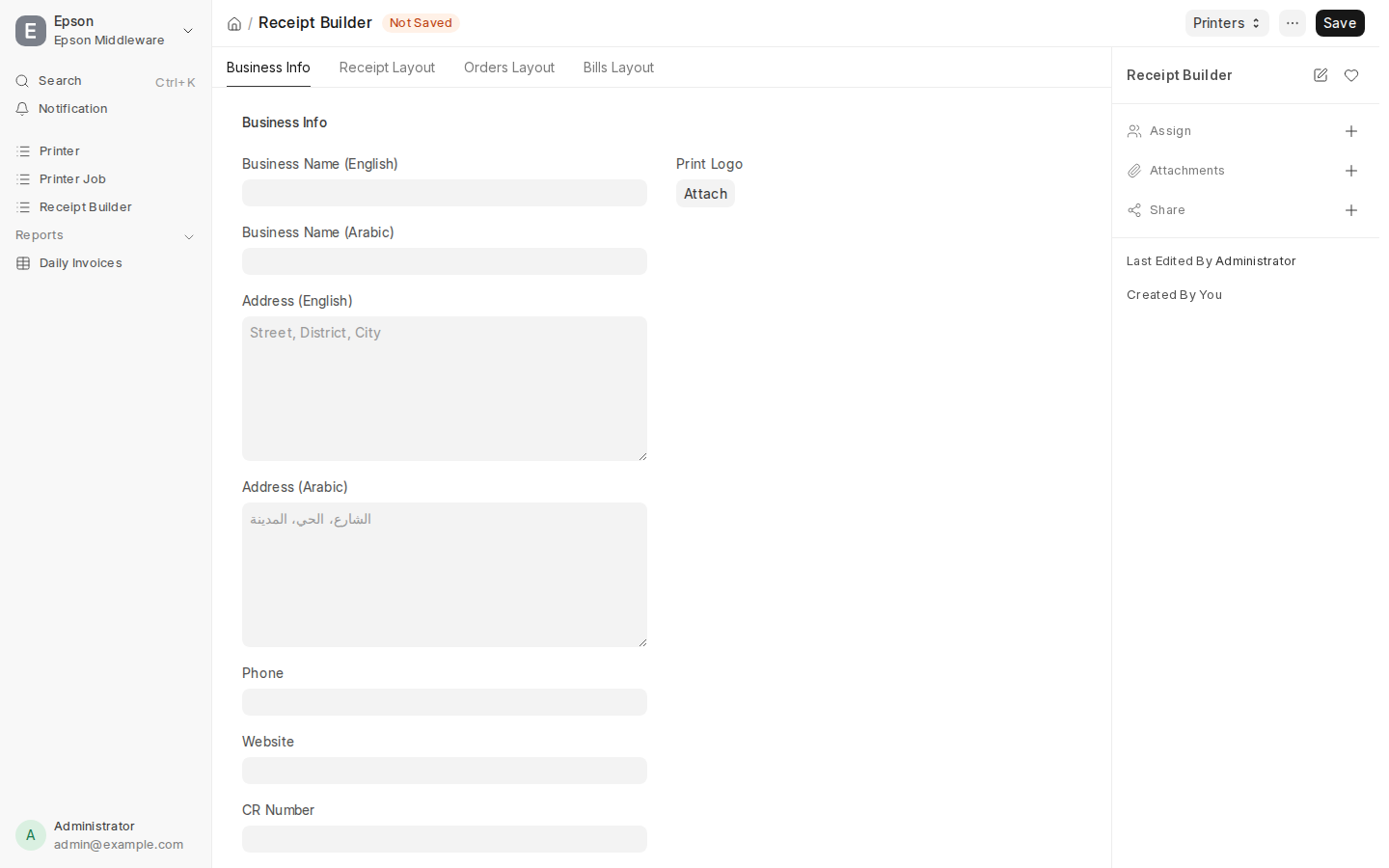
Customize your brand's thermal receipts, kitchen chits, and guest pre-bills. Control font sizes, fiscal registration headers, QR tax codes, and bilingual typography on an exact 576px (80mm) thermal raster canvas.

  • Dual font engine: Configure English font (Courier New, 24px) and native Arabic font (Cairo, 24px)
  • Fiscal compliance: Header fields for Business CR Number, Tax Registration Number, and VAT breakdowns
  • Multi-layout canvas: Dedicated designer tabs for Customer Receipts, Kitchen Order Chits, and Dining Bills
  • Promotional footers: Add custom return policies, Instagram handles, and WiFi access keys
Thermal Receipt Builder Studio
Bilingual 80mm thermal receipt builder with Cairo font, pixel width & fiscal headers Receipt Builder

How Restaurant Sales Reflect in ERPNext

Unlike standalone tablet apps that require manual CSV exports and spreadsheet reconciliations at midnight, BackHouse is deeply integrated with Frappe ERPNext. Every table order triggers automated, enterprise-grade accounting and inventory updates.
STEP 1
Guest Order Placed
Guest submits mobile cart. Generates an official POS Invoice draft on Table T1.
STEP 2
Kitchen Prep (KOT)
System prints thermal kitchen ticket and routes dishes to Chef KDS stations.
STEP 3
Payment & General Ledger
Invoice submits automatically: Debits Cash/Bank and Credits Sales Revenue & Tax.
STEP 4
Stock Deducted via BOM
Raw ingredients (flour, beef, cheese) are deducted from pantry warehouses.
Financial Step 01 Desk Registry

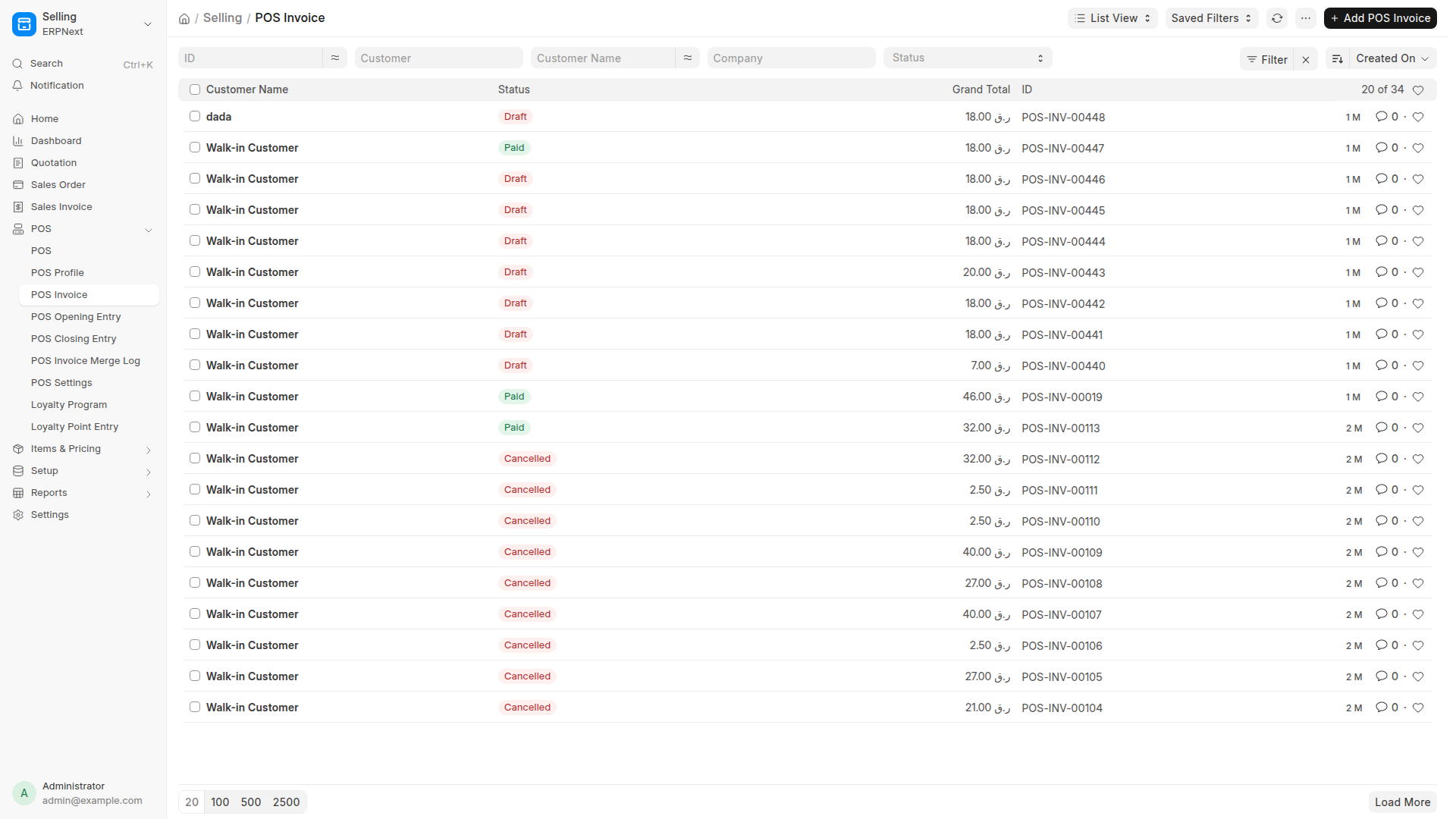
Consolidated POS Invoice Registry

Finance and accounting managers inspect all restaurant sales in the official Frappe Desk invoice ledger. Review settled tickets, payment methods (Cash, Card, Room Charge), tax breakdowns, and customer details.

  • Direct mapping from guest table bills to formal POS Invoices
  • Tracks live dining drafts vs completed submitted payments
  • Exportable to standard PDF tax receipts and government audit formats
Desk POS Invoice Register
Official ERPNext POS Invoice register listing all table dining checks Auditable
Financial Step 02 Double-Entry

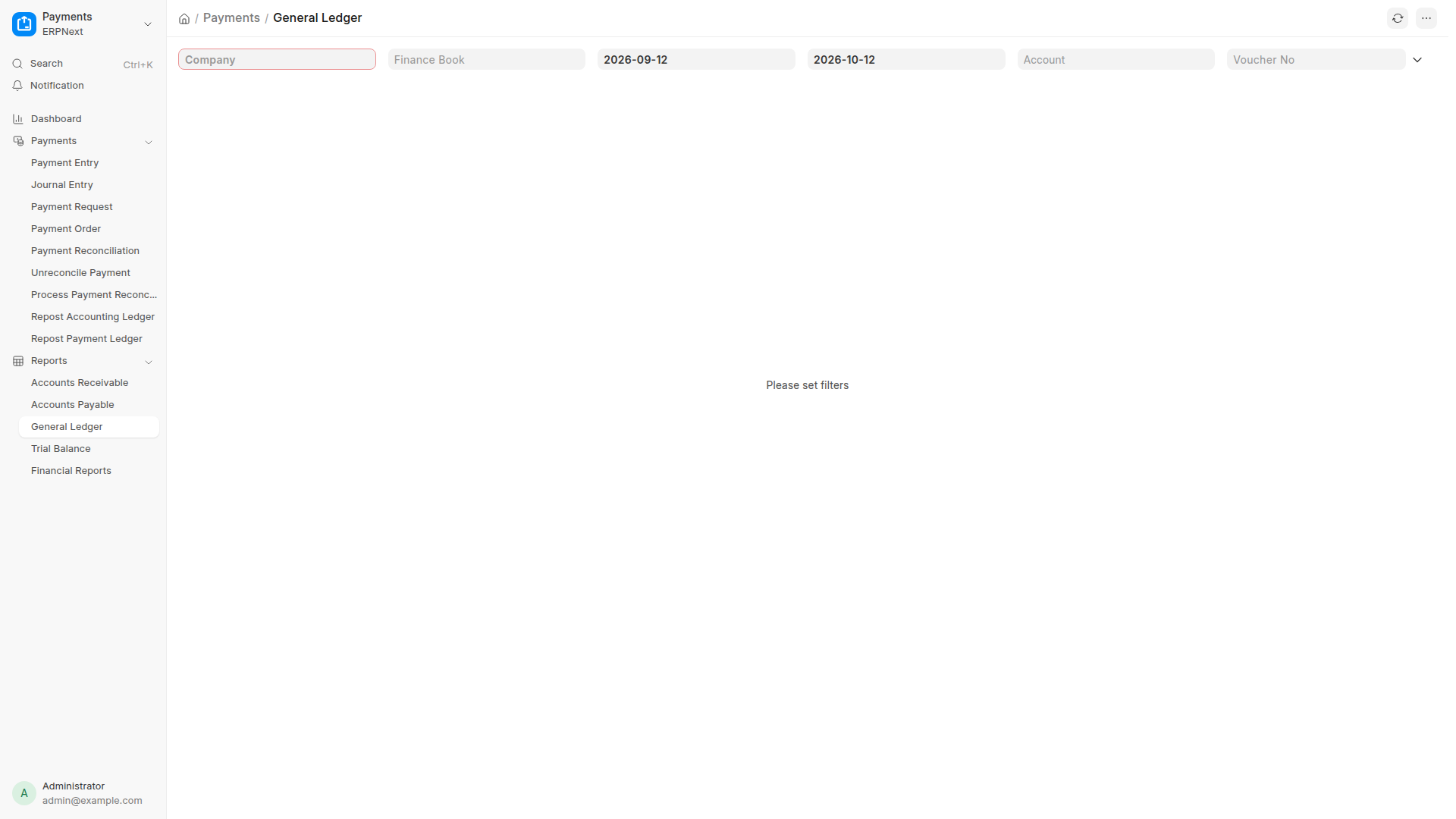
General Ledger & Real-Time Revenue Entries

The moment a customer check is paid, ERPNext posts automated Double-Entry accounting entries. Cash or card payments debit your Liquid Accounts, while meal sales credit Food Revenue and Sales Tax liability.

  • Automated debit to Cash in Hand or Bank Settlement accounts
  • Automated credit to Food Sales Revenue and TVA Tax accounts
  • Zero manual data entry or end-of-month reconciliation discrepancies
General Ledger Report
ERPNext General Ledger showing real-time debit and credit voucher postings General Ledger
Financial Step 03 Inventory Control

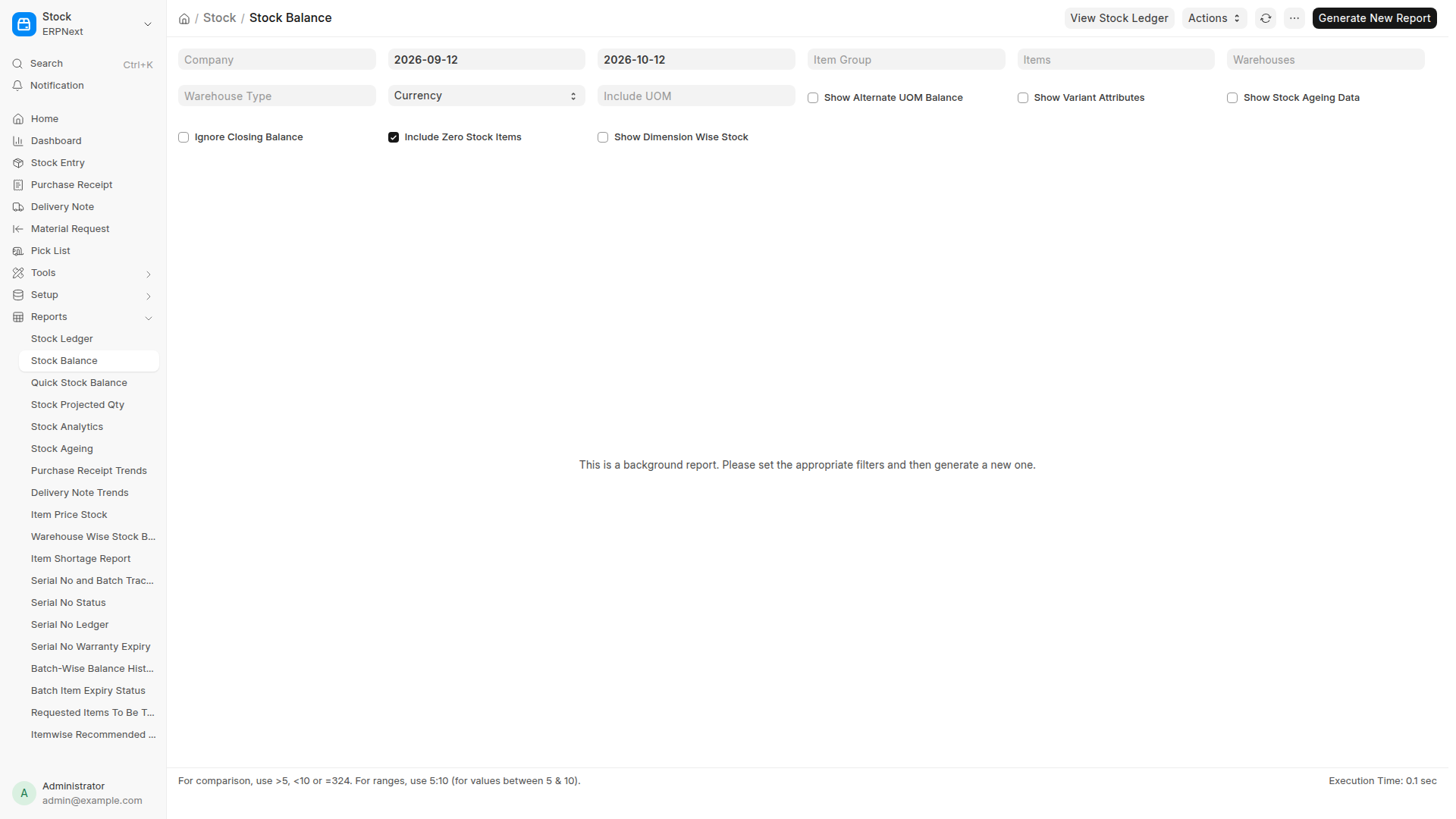
Stock Balance & Raw Ingredient Depletion

Solve food waste and theft with real-time ingredient tracking. When a pizza is sold, ERPNext’s Stock Ledger automatically deducts 200g of flour, 150g of mozzarella, and tomato sauce from the kitchen warehouse.

  • Real-time quantity balance across Main Pantry, Bar, and Kitchen Cold Store
  • Accurate calculation of daily Food Cost % and Cost of Goods Sold (COGS)
  • Low-stock automated alerts when ingredients hit re-order thresholds
Stock Balance Report
ERPNext Stock Balance ledger tracking ingredient quantities and inventory value Stock Ledger
Financial Step 04 Margin Analysis

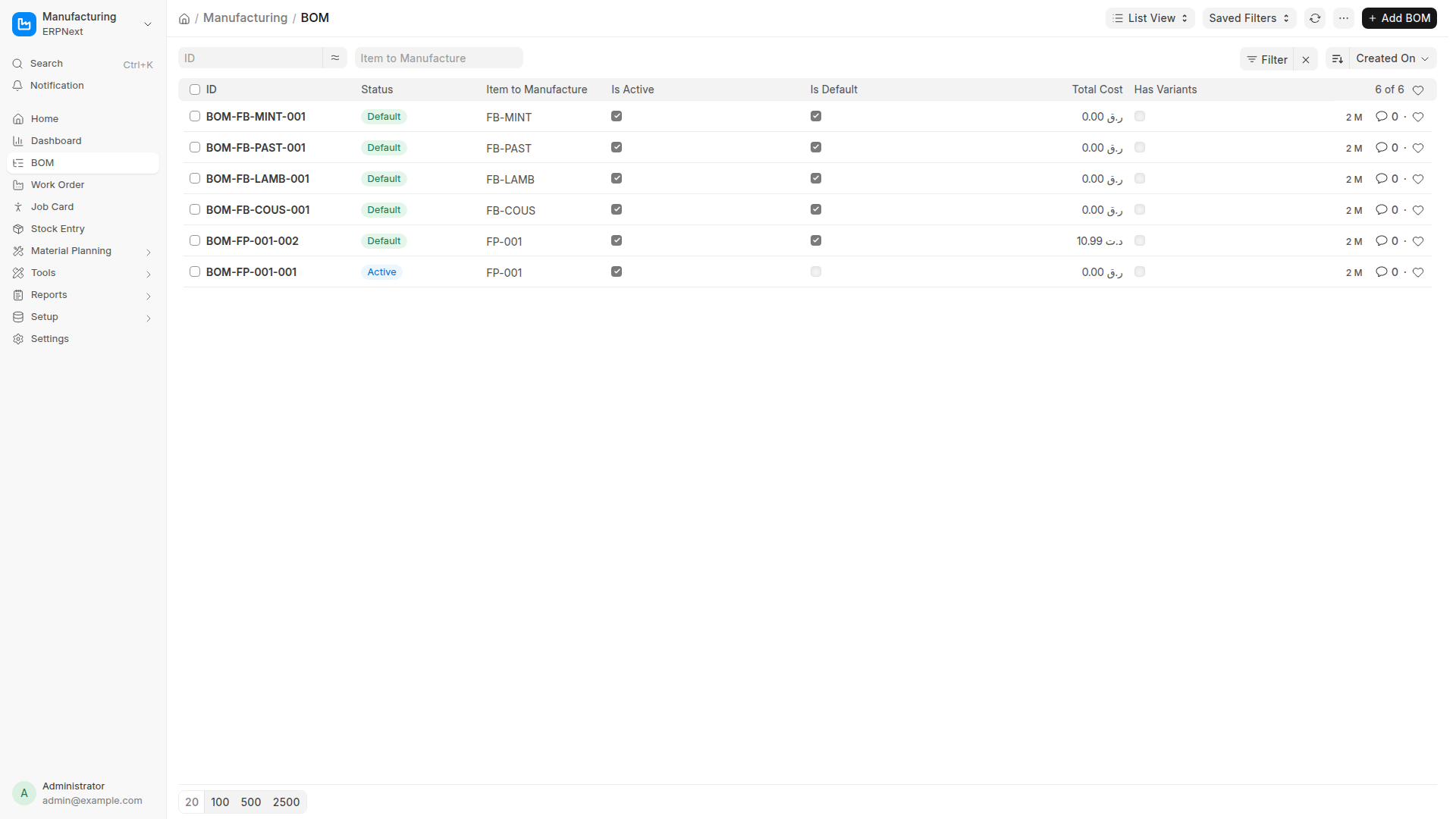
Recipe Engineering & Food Costing (BOM)

Executive chefs link each menu dish to an ERPNext Bill of Materials (BOM). Specify raw ingredients, portions, and waste allowances to calculate exact plate cost and optimize your menu profit margins.

  • Standardizes dish recipes for consistent culinary quality
  • Calculates actual vs theoretical food cost percentage
  • Pinpoints ingredient price inflation across your supply chain
Bill of Materials Recipe Engineering
Recipe Bill of Materials (BOM) mapping raw ingredients to finished plates Recipe Engineering
Menu Master Central Data Hub

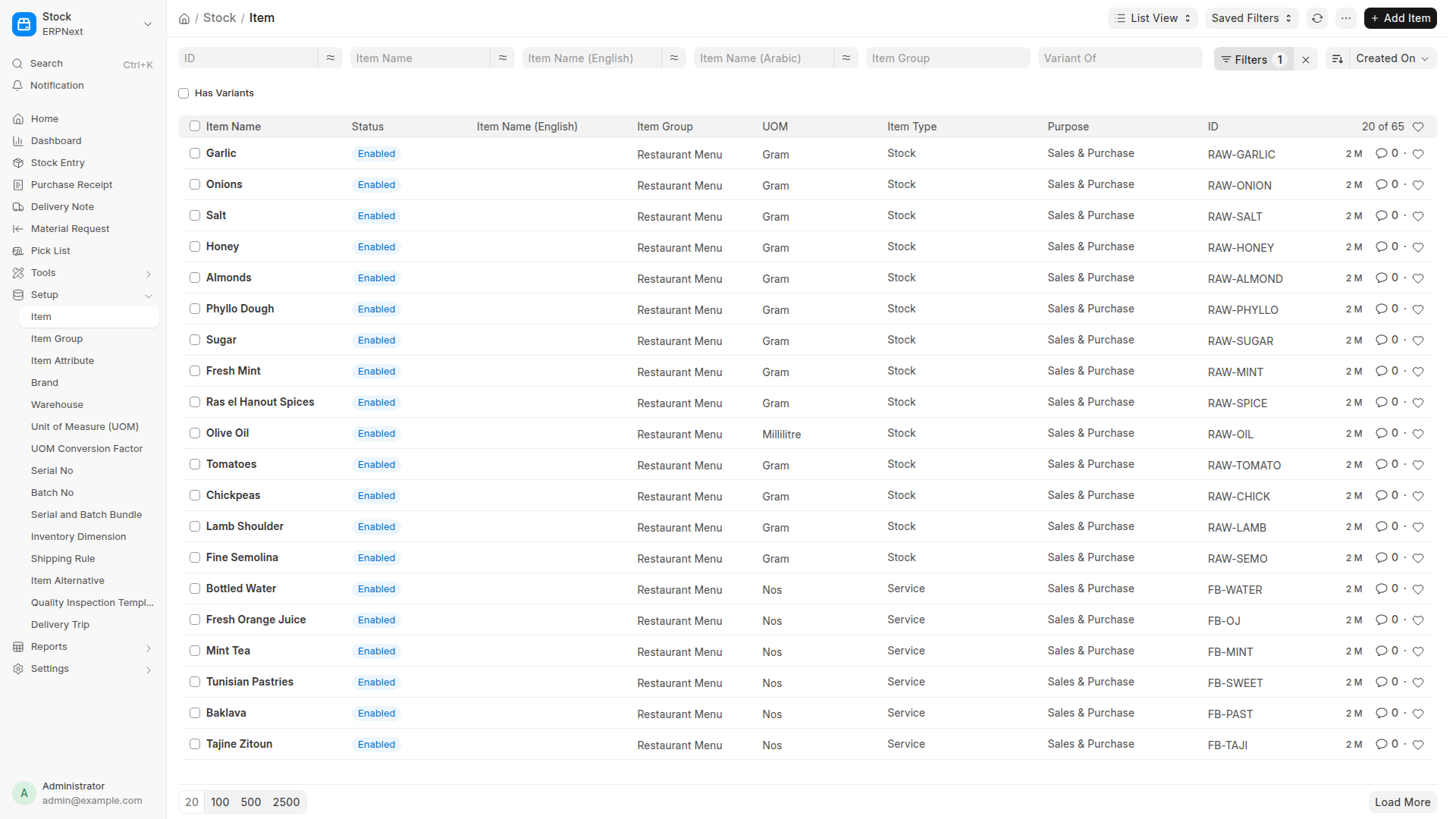
Centralized Item Master & Bilingual Dish Registry

Manage all menu items, retail packaged goods, raw produce, and beverage stock from a single Frappe Item registry. Define bilingual dish names, standard selling rates, tax templates, and default sales accounts.

  • Configures bilingual Arabic & English titles per item
  • Enforces automatic valuation (FIFO / Moving Average) across warehouses
  • Links finished dishes to recipe BOMs for automated production orders
ERPNext Central Item Master
ERPNext Centralized Item Master managing bilingual attributes & inventory rules Desk Item Registry ↗
Financial Step 05 Audit & Control

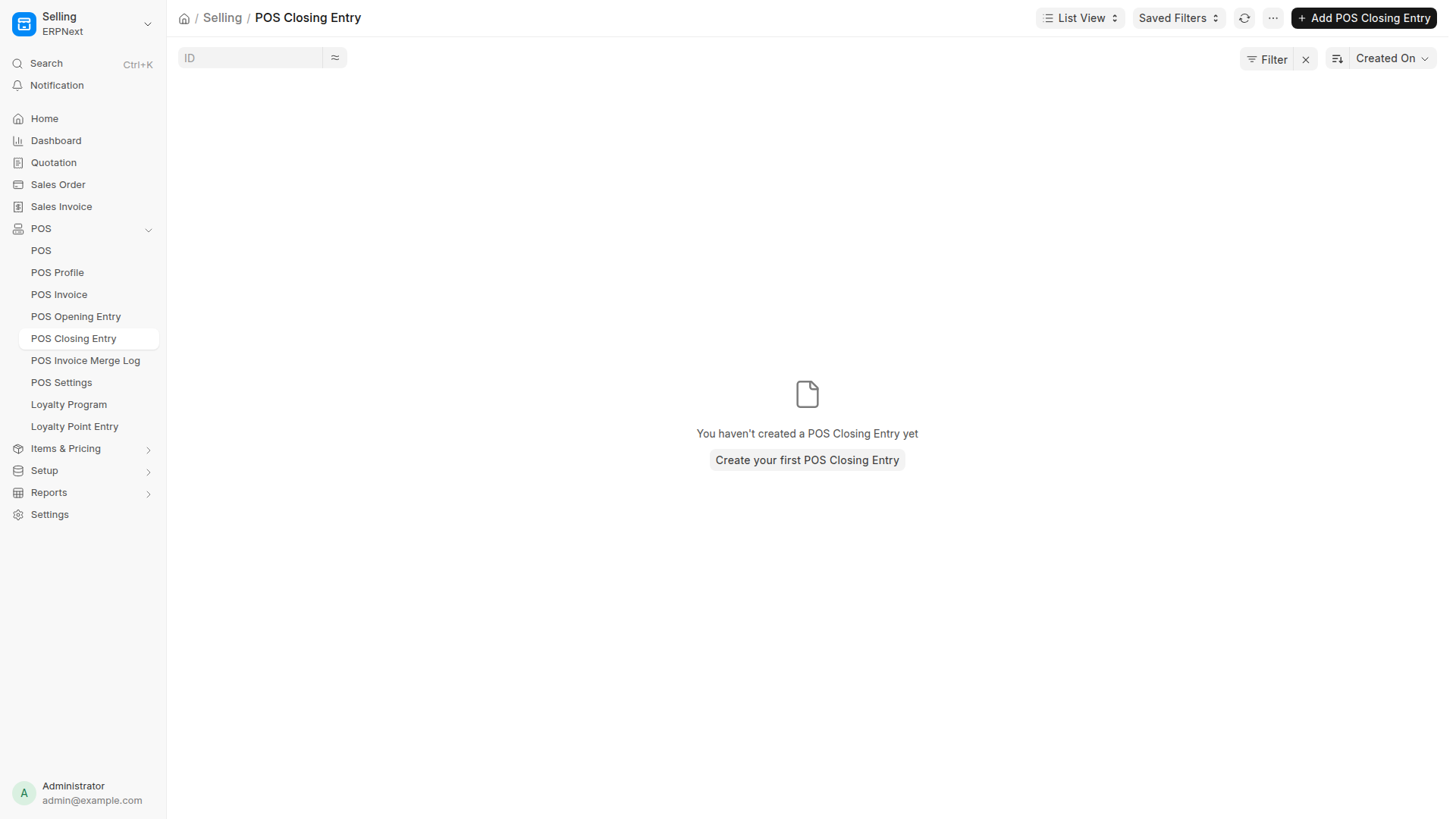
End-of-Shift Cashier Reconciliation

At the close of each shift, cashiers submit a POS Closing Entry. The cashier counts physical cash in the drawer and card terminal receipts. The system flags any discrepancy against registered sales and locks the register session.

  • Compares declared cash against expected register totals
  • Logs cash overages and shortages to financial audit logs
  • Guarantees accountability across every server and cashier shift
POS Closing Reconciliation
POS Closing Entry balancing declared drawer cash against system sales Reconciliation
Security & QR Control Cryptographic Tokens

Frappe Desk Table QR Token Manager & Dynamic QR Security

Prevent unauthorized out-of-venue ordering. BackHouse generates cryptographic table tokens directly from Frappe Desk, allowing operators to print branded QR plaques or rotate tokens on demand with 1 click.

  • Cryptographic table tokens prevent malicious remote order injection
  • Batch export high-resolution QR codes ready for acrylic table stands
  • Instant 1-click token revocation if a table QR code is compromised
Frappe Desk Table QR Token Management
Frappe Desk Table QR Token Manager for generating & rotating secure table links Desk Manager ↗
Floor Architecture Zone Management

Physical Floor Plan & Restaurant Table Registry

Configure dining rooms, outdoor terraces, rooftop seating, and private banquet salons. Assign seat capacities, minimum covers, and designated waiter stations directly within ERPNext Desk.

  • Manage unlimited dining zones and table numbering structures
  • Set maximum guest capacity and minimum spend policies per salon
  • Syncs instantaneously across URY POS, Waiter Pads, and Guest QR links
Physical Restaurant Table Master
ERPNext Restaurant Table registry configuring dining zones, seating & capacity Desk Tables ↗

Complete Back-Office Control: Settings, Brand Studio & Fiscal Rules

A truly enterprise restaurant platform gives management 100% control over brand identity, menu logic, operating hours, delivery geofencing, payment gateways, and floor seating without touching code. Every setting shown below is operational in Frappe Desk.
BRAND STUDIO
Colors & Layouts
Palette presets, hex pickers, typography pairing, border radii, and dark/light color themes.
CHANNEL RULES
Dine-In, Pickup & Delivery
Master channel toggles, curbside geofencing, allergen visibility, and minimum order rules.
OPERATING HOURS
7-Day Matrix & Cutoffs
Per-day opening and closing schedules, service periods, and automated order cutoff watchdogs.
PAYMENT & FISCAL
Gateways & Promo Codes
Tap, Stripe & Flouci gateways, 1-click demo mode, tender mapping, and dynamic discount rules.
Settings 01 Brand Identity

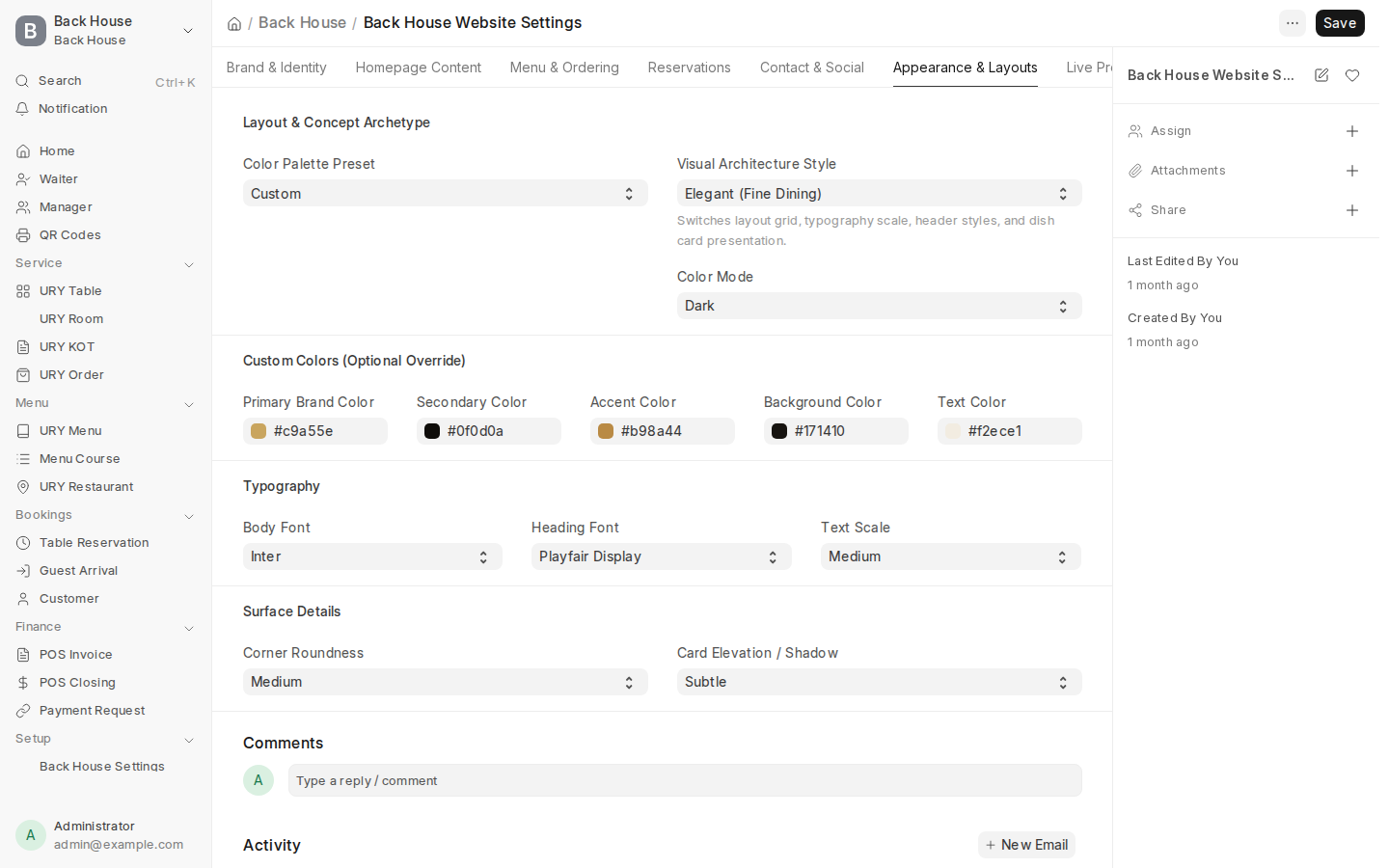
Brand Studio & Visual Appearance Engine

Transform the guest portal to match any restaurant concept in minutes. Switch between curated presets or hand-craft bespoke design tokens using live hex pickers and typography scales.

  • Curated palette presets: Classic, Elegant (Fine Dining), Bistro, Vibrant Fast-Casual, Minimal, Luxe
  • Full hex color control: Primary Brand (#c9a55e), Secondary (#0f0d0a), Accent (#b98a44), Background & Text
  • Typography engine: Pair luxury serif display headings (Playfair Display) with clean body fonts (Inter)
  • Component tokens: Select UI corner roundness (Sharp, Subtle, Pill) and card elevation shadows
Website Settings Appearance Studio
Brand Studio: Palette presets, hex color pickers, typography pairing & theme mode Website Settings
Settings 02 Content Management

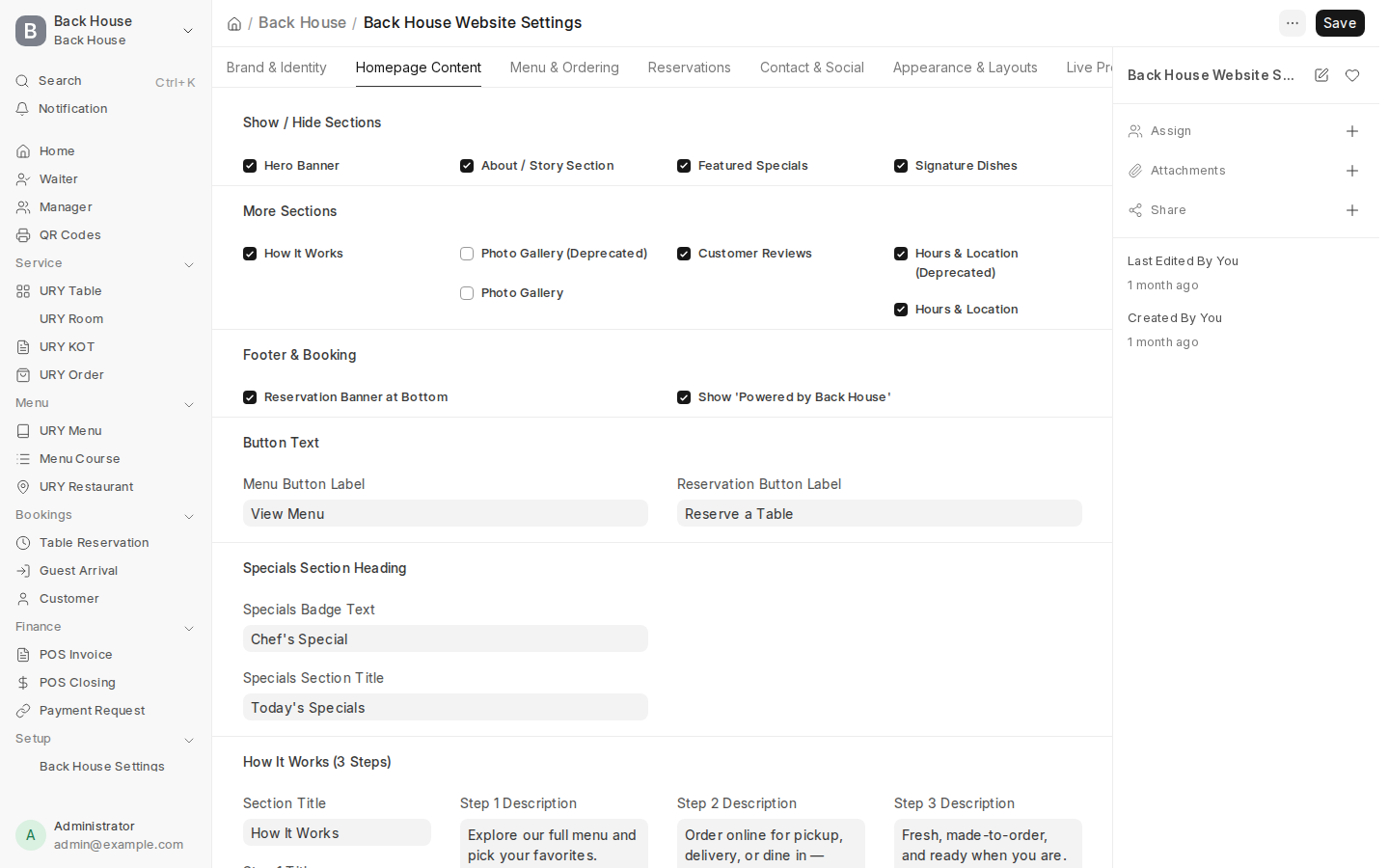
Dynamic Homepage Content & Section Visibility Studio

Control exactly which marketing blocks appear on your guest portal without touching HTML templates. Toggle sections on or off with instant live updates.

  • Section master switches: Hero Banner, Our Story, Chef's Specials, Signature Dishes, How It Works, Testimonials, Hours & Location, Sticky Reservation Bar
  • Customizable Call-To-Action buttons: Define primary and secondary button text ("View Menu", "Reserve a Table")
  • Customer reviews manager: Curate verified guest testimonials with guest names directly from Desk
  • Special promotions banner: Customize the daily chef's specials badge text and section headline
Website Homepage Content Studio
Homepage Content Studio: Granular section toggles, CTAs, testimonials & specials Content Studio
Settings 03 Operations & Geofencing

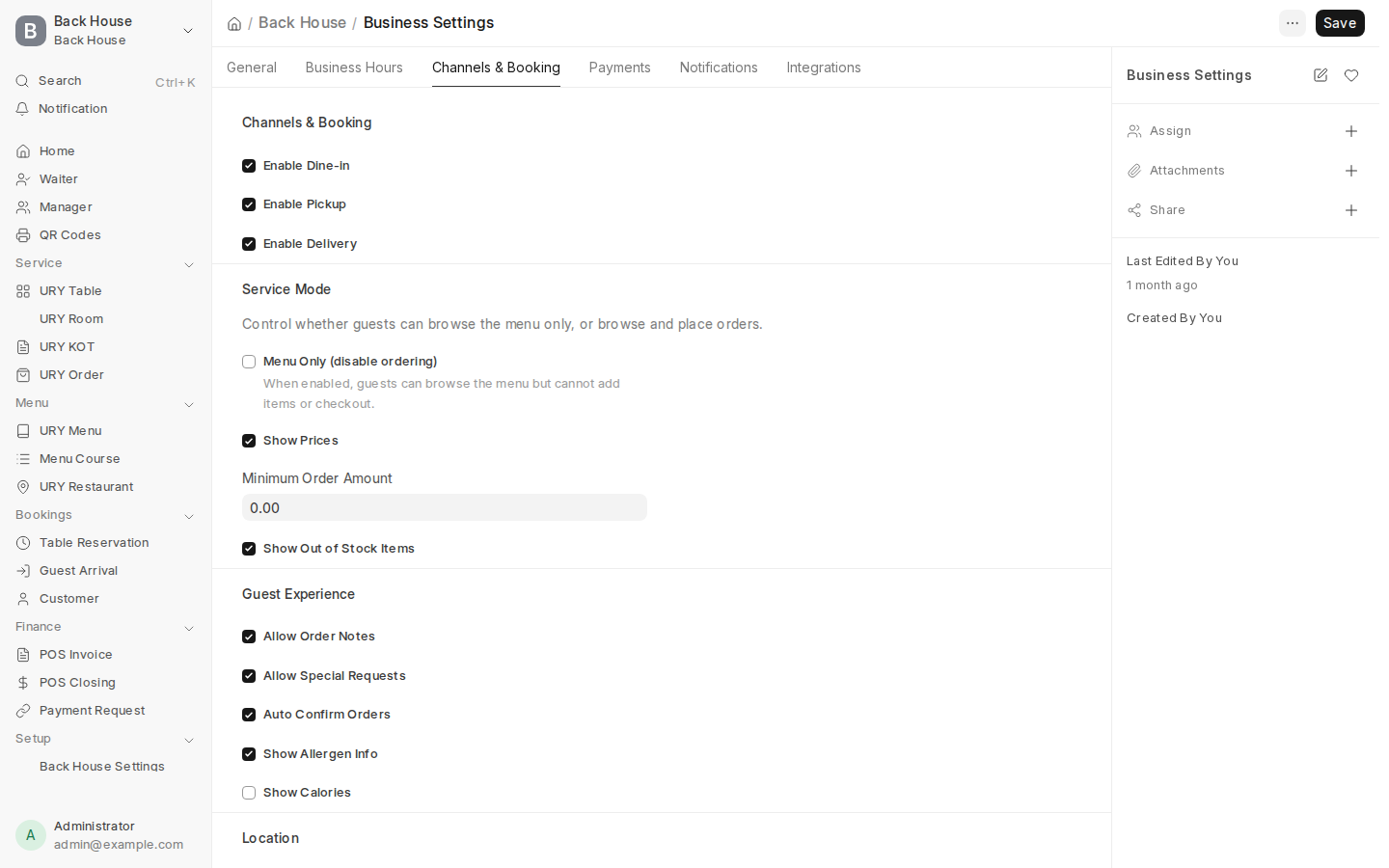
Channel Fulfillment & 200m Curbside Geofencing

Configure how guests interact with your restaurant across channels. Toggle Dine-In, Pickup, and Delivery independently, set minimum spend rules, and activate automated curbside arrival tracking.

  • Fulfillment master toggles: Enable or disable Dine-In, Pickup, or Delivery with immediate storefront sync
  • GPS Curbside Arrival Radius: Set detection boundary (200 meters) to alert staff when pickup guests arrive in the parking lot
  • Operational safety controls: Allergen info flags, calorie counters, and special kitchen prep notes
  • Ordering rules: Minimum basket order amount, auto-confirm orders, and show/hide out-of-stock items
Business Channels & Curbside Geofencing Settings
Fulfillment channel switches, curbside arrival radius & operational safety rules Business Settings
Settings 04 Scheduling Watchdog

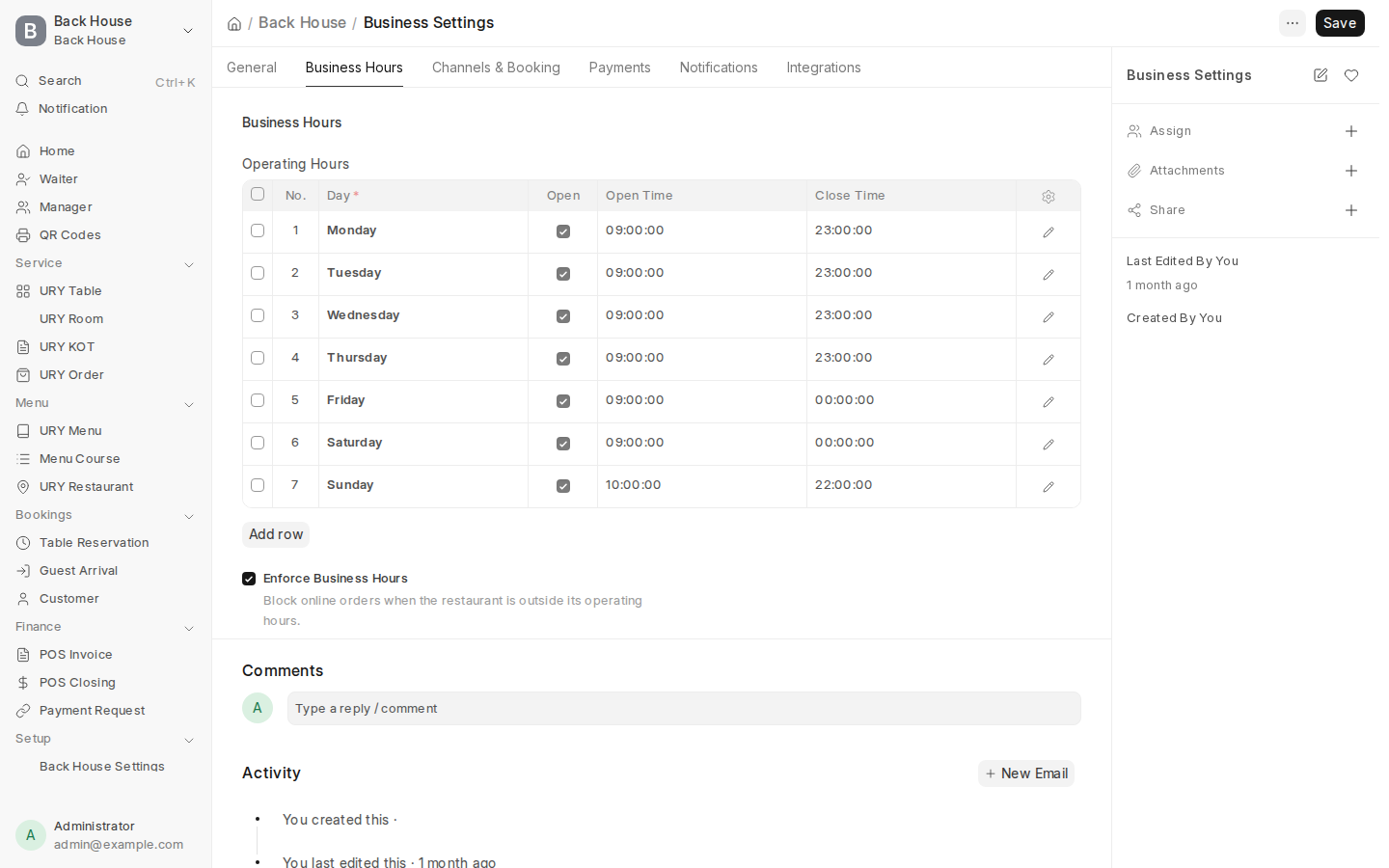
7-Day Operating Hours Matrix & Automated Order Cutoffs

Prevent kitchen overwhelm and unauthorized off-hours orders. Configure independent operating schedules for every day of the week with automated order cutoffs.

  • Granular 7-day schedule: Individual open and close timestamps from Monday to Sunday
  • Enforce Business Hours watchdog: Blocks guest orders outside working hours with polite custom notices
  • Weekend & late-night flexibility: Extended midnight closing hours for Friday and Saturday dining
  • Holiday & seasonal service periods: Easily configure split-shift lunch and dinner services
7-Day Business Operating Hours Matrix
7-day weekly schedule matrix with opening/closing hours & enforcement watchdogs Operating Hours
Settings 05 Payment Infrastructure

Payment Gateway Engine & Channel Tender Mapping

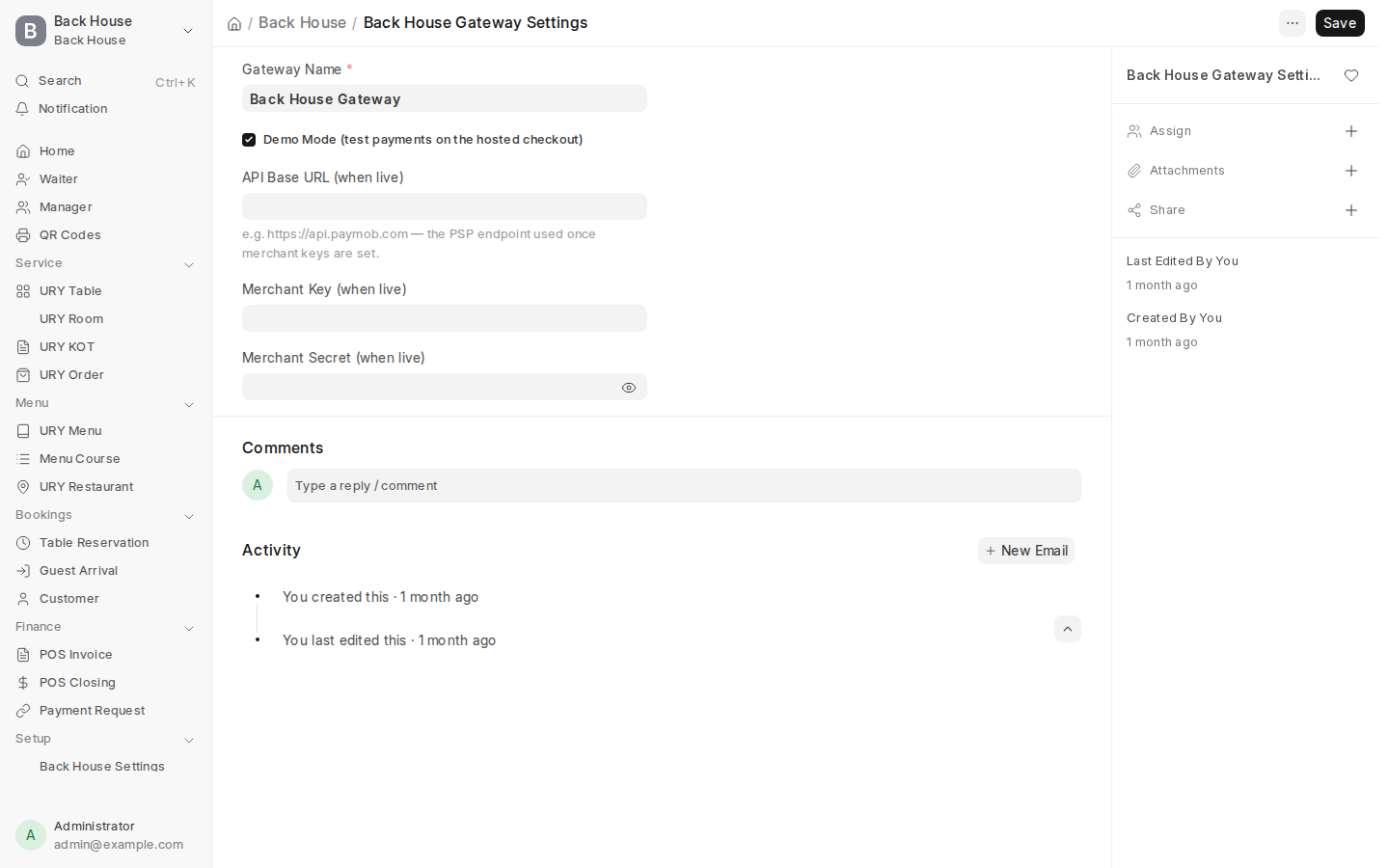
Connect local and international payment processors seamlessly. Switch between sandbox demo mode for testing and live production merchant credentials with one click.

  • Universal gateway architecture: Tap Payments (GCC), Stripe (Global), Flouci & Konnect (North Africa)
  • 1-Click Demo Mode toggle: Enables full test checkout simulations for staff training and investor demos
  • Channel tender matrix: Map payment methods per fulfillment type (Cash, Card, Pay Later at Table, Online)
  • Zero gateway lock-in: Switch processors or activate multiple gateways without breaking POS billing
Payment Gateway Engine & Demo Mode
Payment Gateway Engine: Merchant credentials, live API base URL & Demo Mode switch Gateway Settings
Settings 06 Floor Bookings

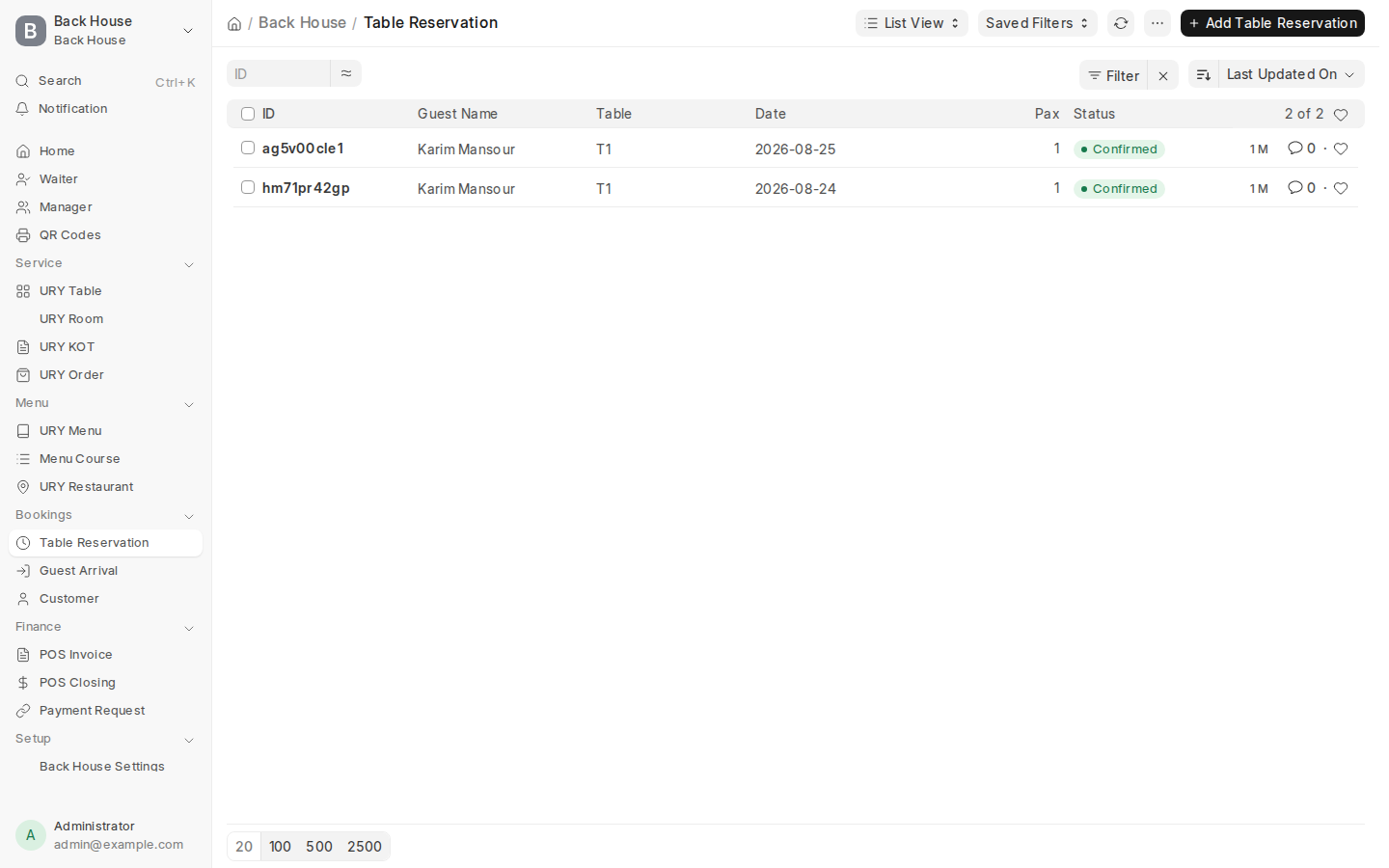
Table Reservations Registry & Capacity Management

Centralized front-of-house booking management. Track confirmed, seated, and completed reservations with guest contact details, party sizes, and special dining requests.

  • Reservation audit trail: Customer Name, Phone, Email, Guest Count (1–10 Pax), Date, Time Slot (90 min)
  • Status lifecycle: Track bookings from Confirmed → Seated → Completed → Cancelled
  • WhatsApp/SMS notification triggers: Automatic confirmation messages and arrival reminders
  • Eliminate no-shows: Optional reservation deposit requirement managed directly from Business Settings
Table Reservations Management Console
Table reservation registry tracking guest contacts, pax size, time slots & booking status Desk Reservations
Settings 07 Promotional Marketing

Dynamic Promo Code & Customer Discount Engine

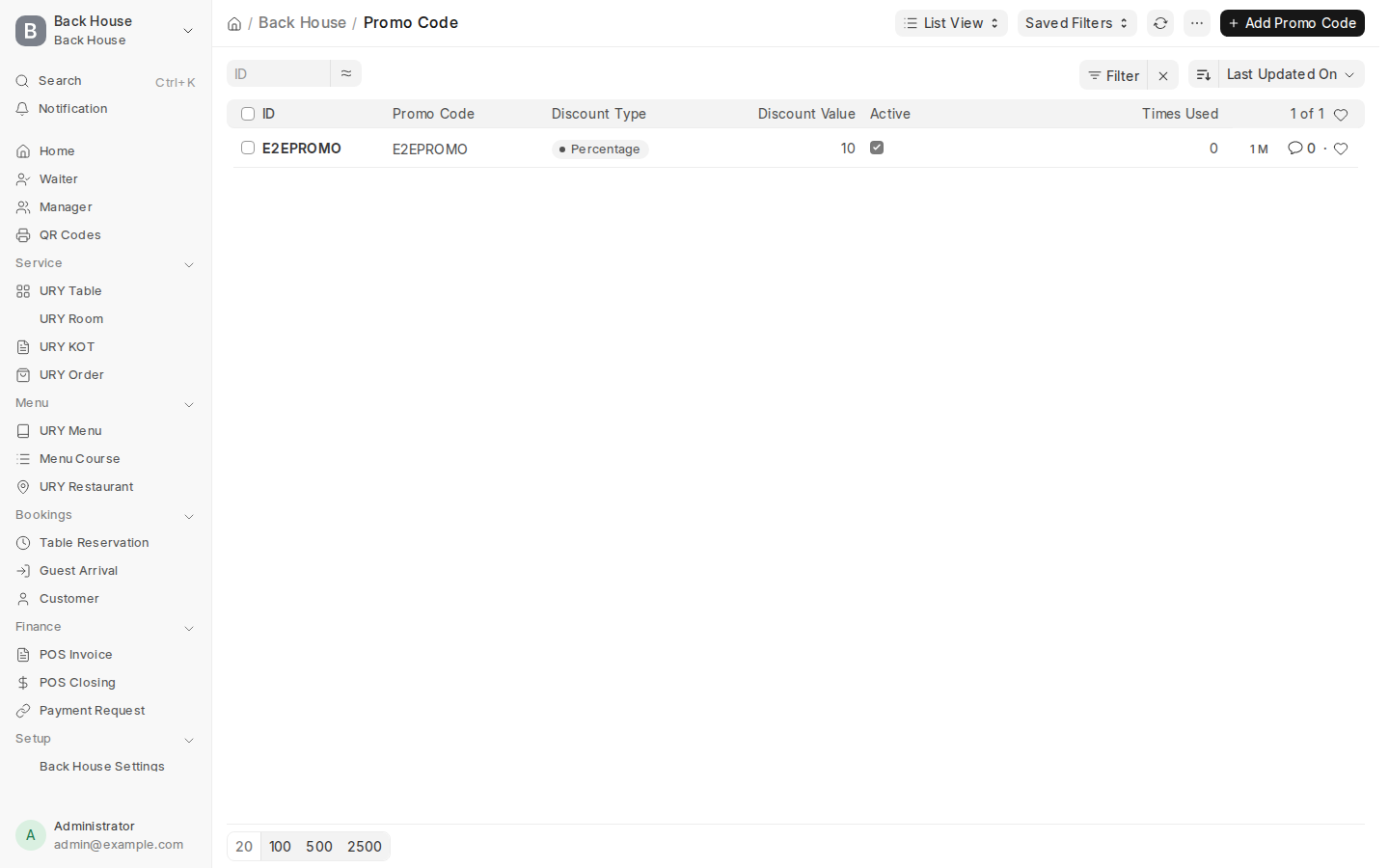
Drive customer acquisition and repeat visits with granular promotional campaign tools. Create automated discount vouchers applied during guest mobile checkout.

  • Flexible discount models: Percentage discount (e.g. 15% off) or flat currency deduction
  • Spend thresholds: Enforce minimum order subtotal before discount activation
  • Campaign guardrails: Set start/end expiration dates and maximum total redemption limits
  • Seamless cart integration: Guest enters promo code at checkout; discount reflects instantly on POS Invoice
Promo Code & Discount Engine
Promo Code Engine: Discount percentages, minimum spend rules & campaign validity Promo Codes

High-Definition 1080p Video Tours

Watch smooth desktop video walkthroughs showcasing the system in action—from customer ordering to kitchen ticketing and ERP back-office accounting.

1. Guest Digital Ordering Walkthrough (1080p)

Demonstrates customer menu navigation, dish customizer, cart drawer, and live kitchen tracking.

Download MP4 ↓

2. URY POS Touchscreen Cashier Terminal (1080p)

Demonstrates high-speed cashier item entry, floor table selection, split tender billing, and POS Opening/Closing till balancing.

Download MP4 ↓

3. Staff Consoles & Kitchen Operations (1080p)

Demonstrates Floor Waiter Pad, Waiter Orders, Chef KDS, Kitchen Menu 86, and Manager Cockpit.

Download MP4 ↓

4. ERPNext Financials, POS Invoices & Stock Ledger (1080p)

Demonstrates live navigation through Desk POS Invoices, General Ledger reports, and Stock Balances.

Download MP4 ↓

The Complete Product Double — Live Endpoint Directory

Every component of BackHouse is accessible and testable on this production environment. Click any module below to verify live behavior in real-time.

📱

Guest Digital Surfaces

Direct, zero-app-install customer interfaces

🍳

Staff & Operations Consoles

Real-time floor pads, KDS and cashier tools

⚙️

Enterprise Settings & ERP

Back-office control, hardware & ledgers